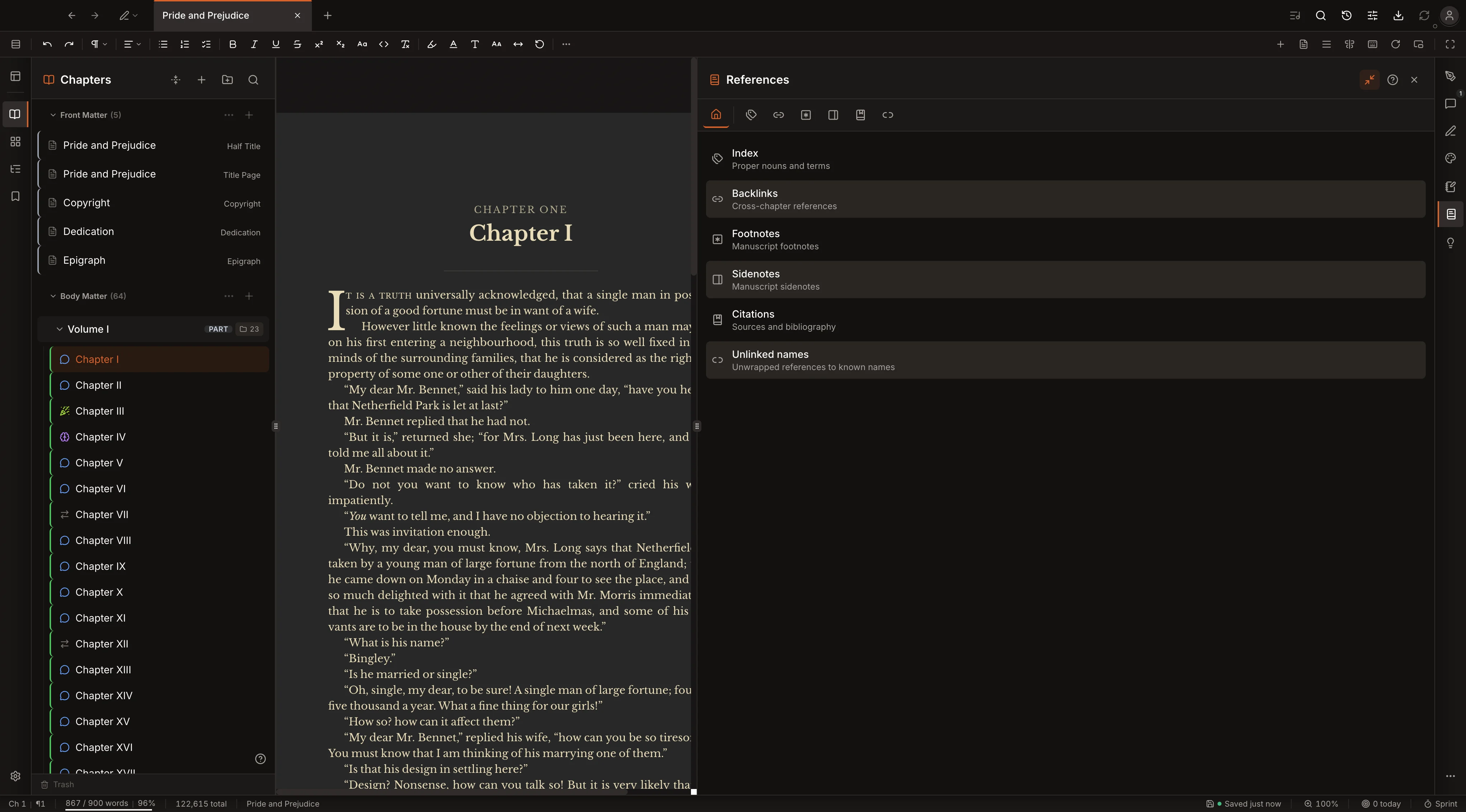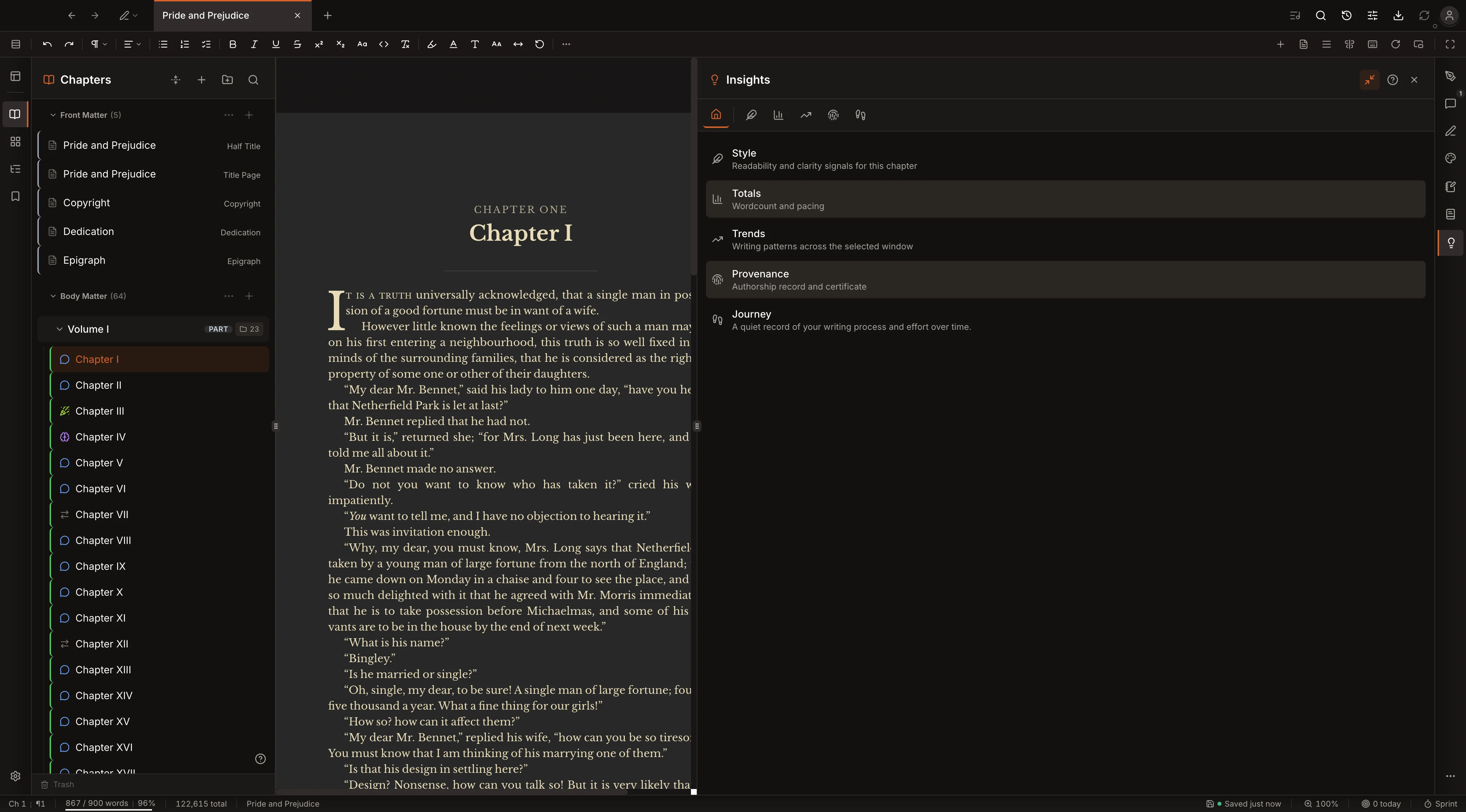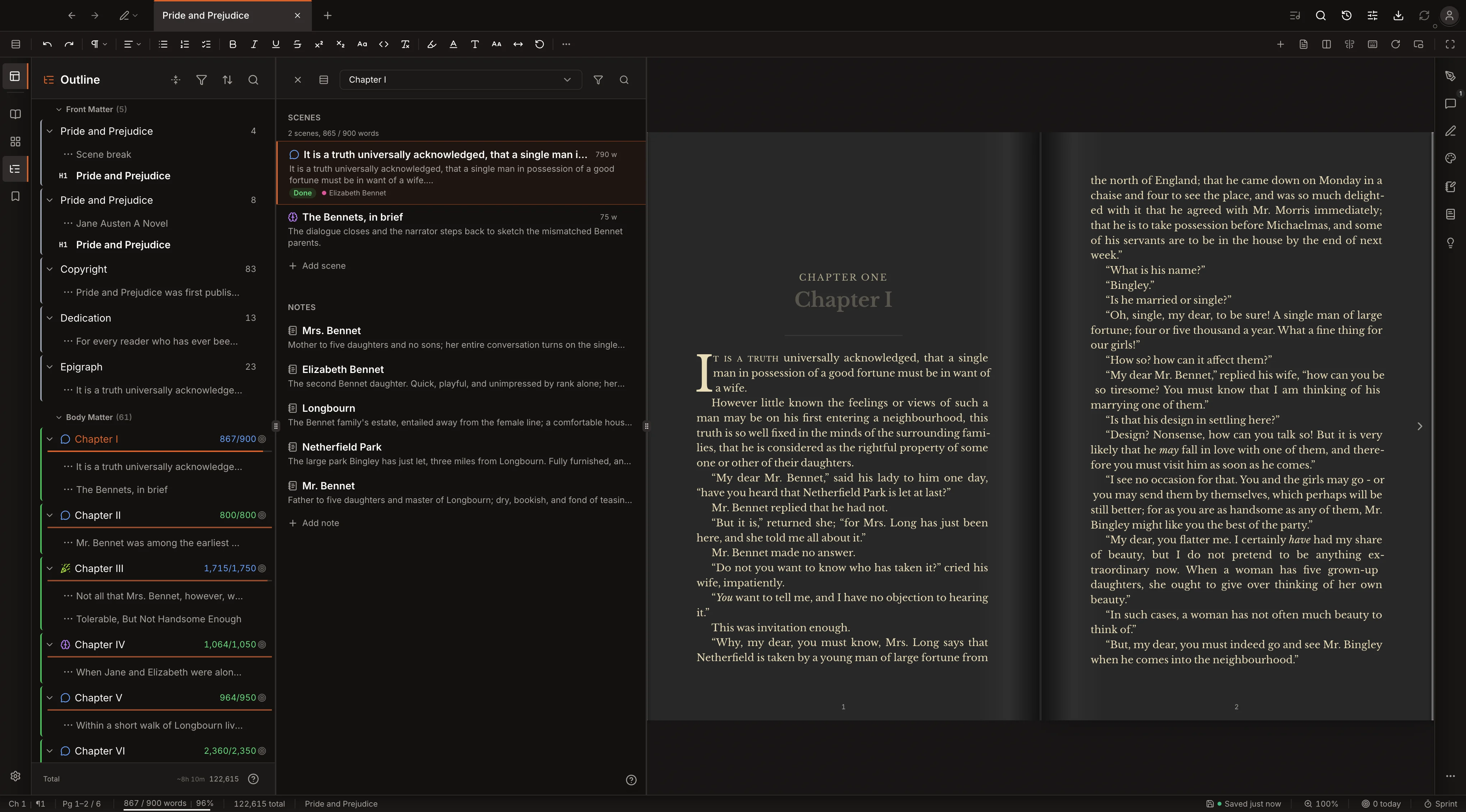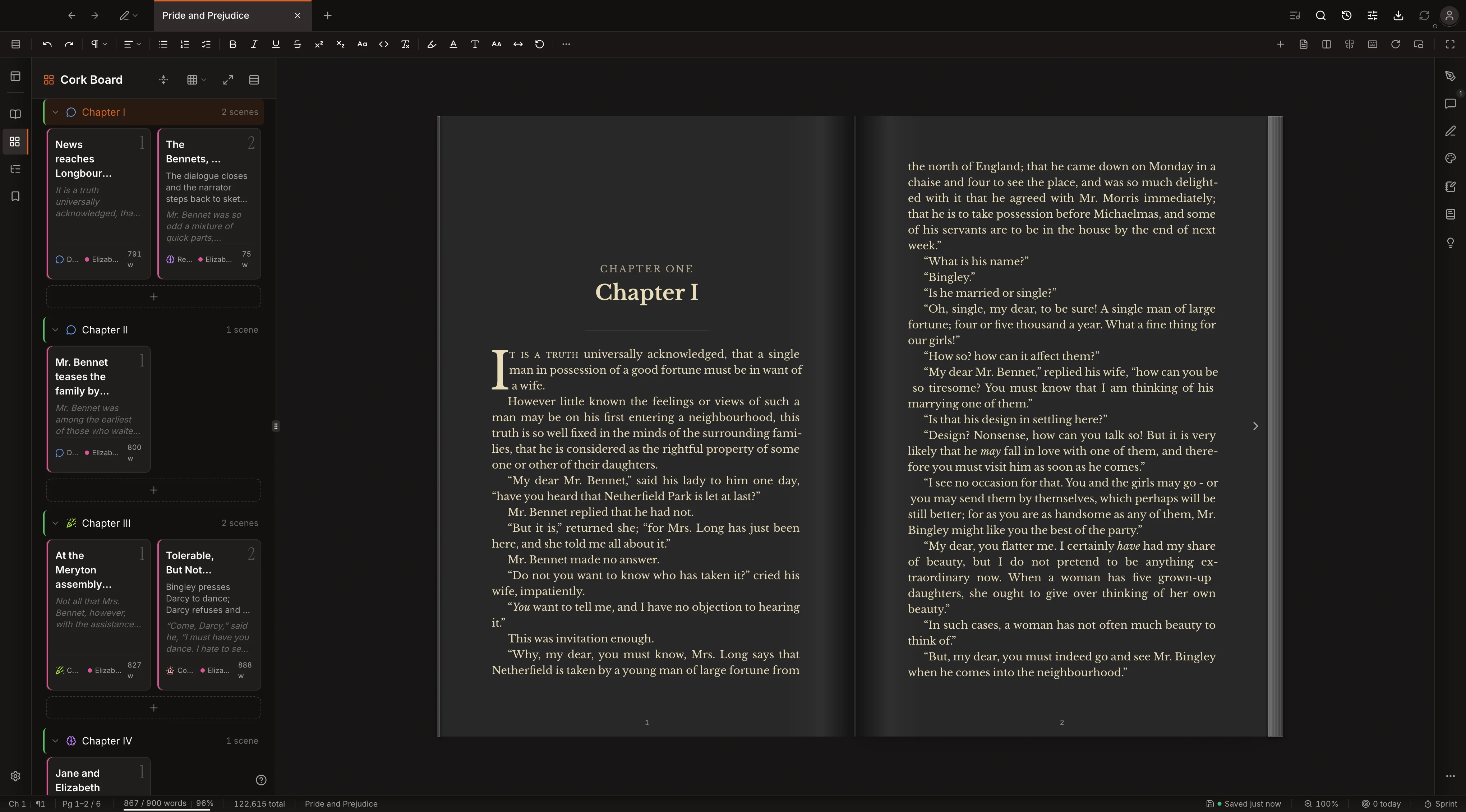

For decades writing software made you draft in one tool and typeset in another. Kvidha merges them. Drop caps, small caps, baseline grids, true two-page spreads: book-grade typography rendered live in the editor as you type. Print-grade output when you export.
Built for novelists, general writers, students, academics, and technical writers, in one visual editor.
Lifetime license, $249 standard. First 100 buyers at $199. macOS and Windows at launch.
Write in the visual editor and watch it render live book pages as you type.
One click generates every export format, from PDF and EPUB to DOCX and plain text, with trim marks on the print-ready PDF.
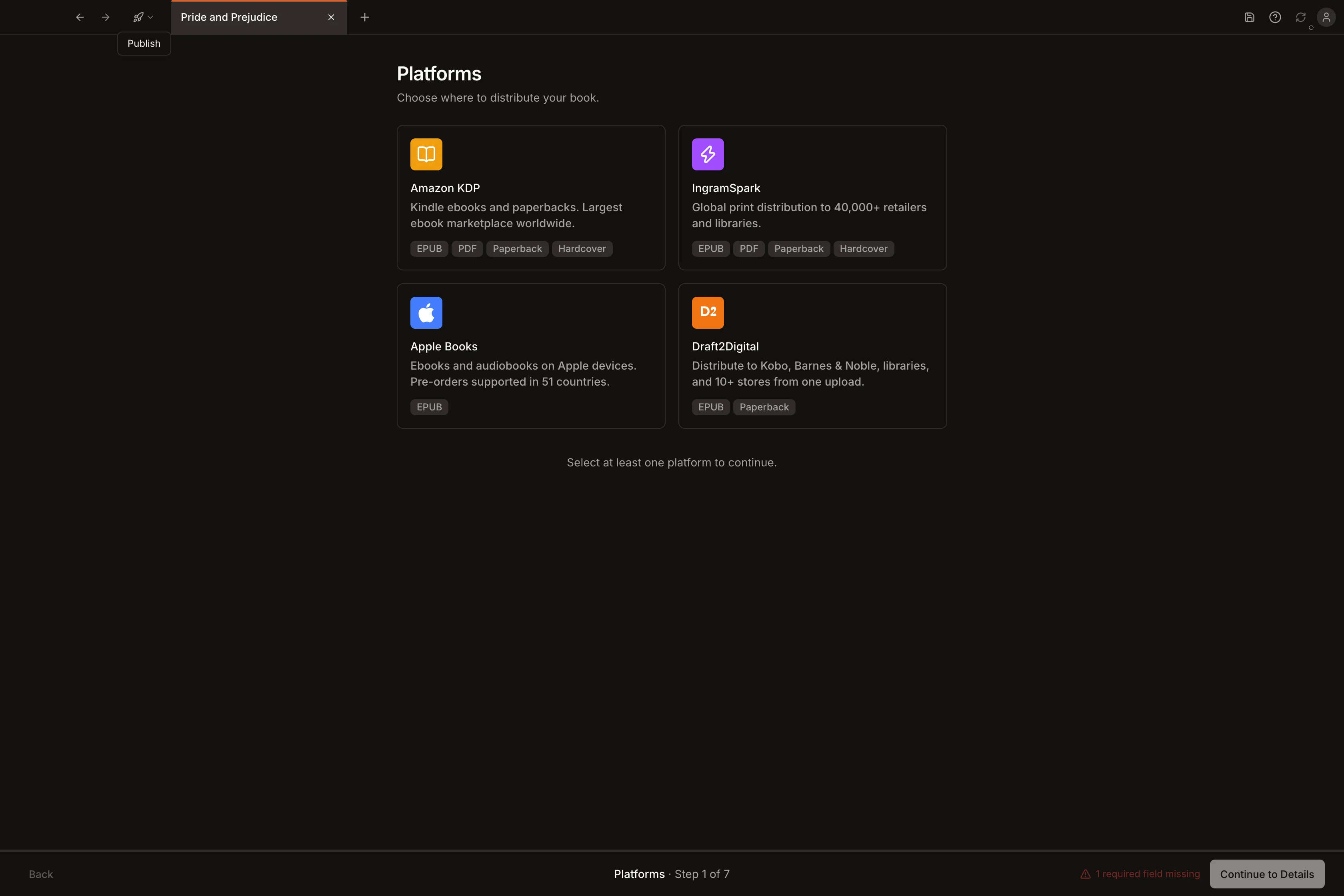
Guided publishing to KDP, Apple Books, IngramSpark, and Draft2Digital with your metadata pre-filled and ready to copy.
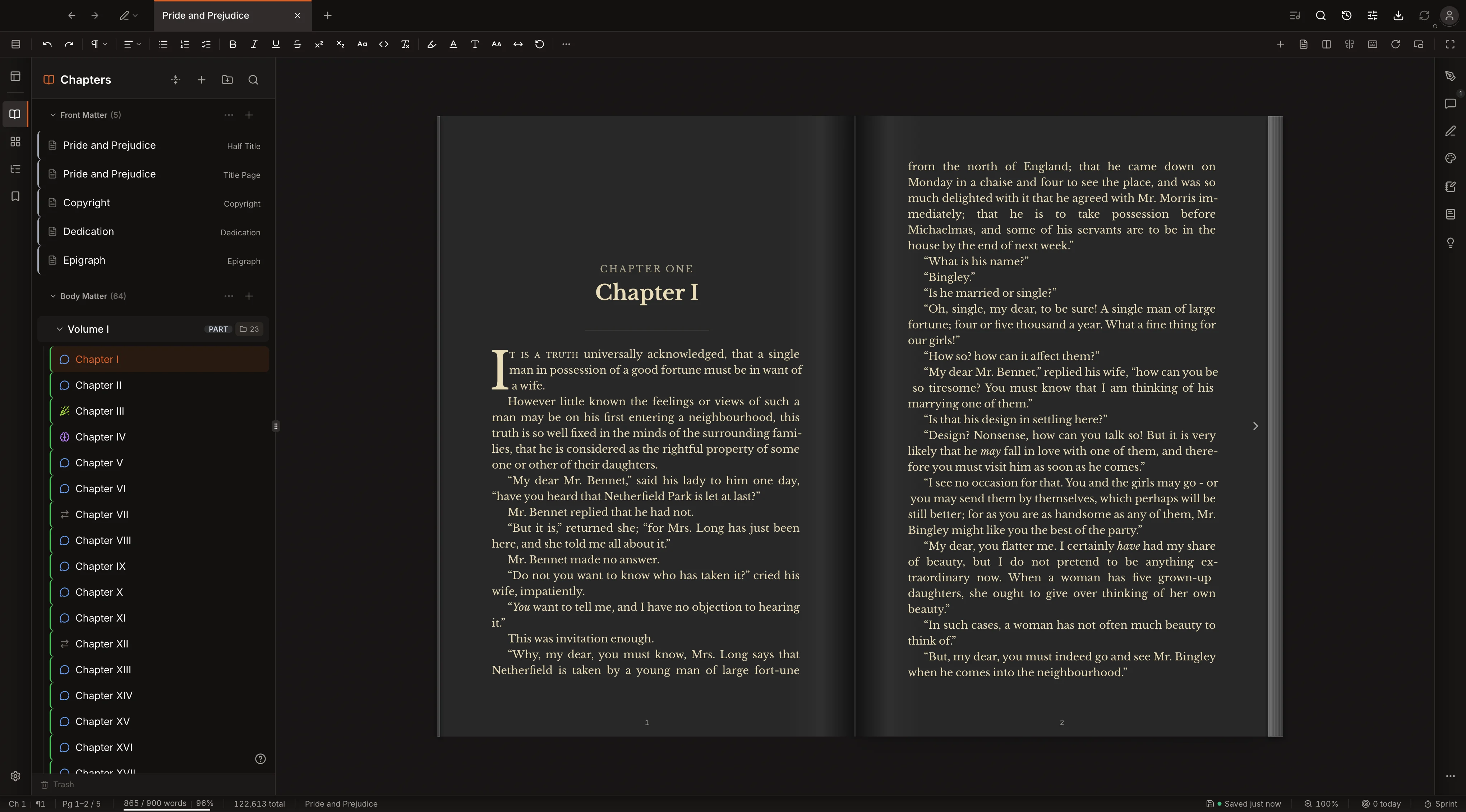
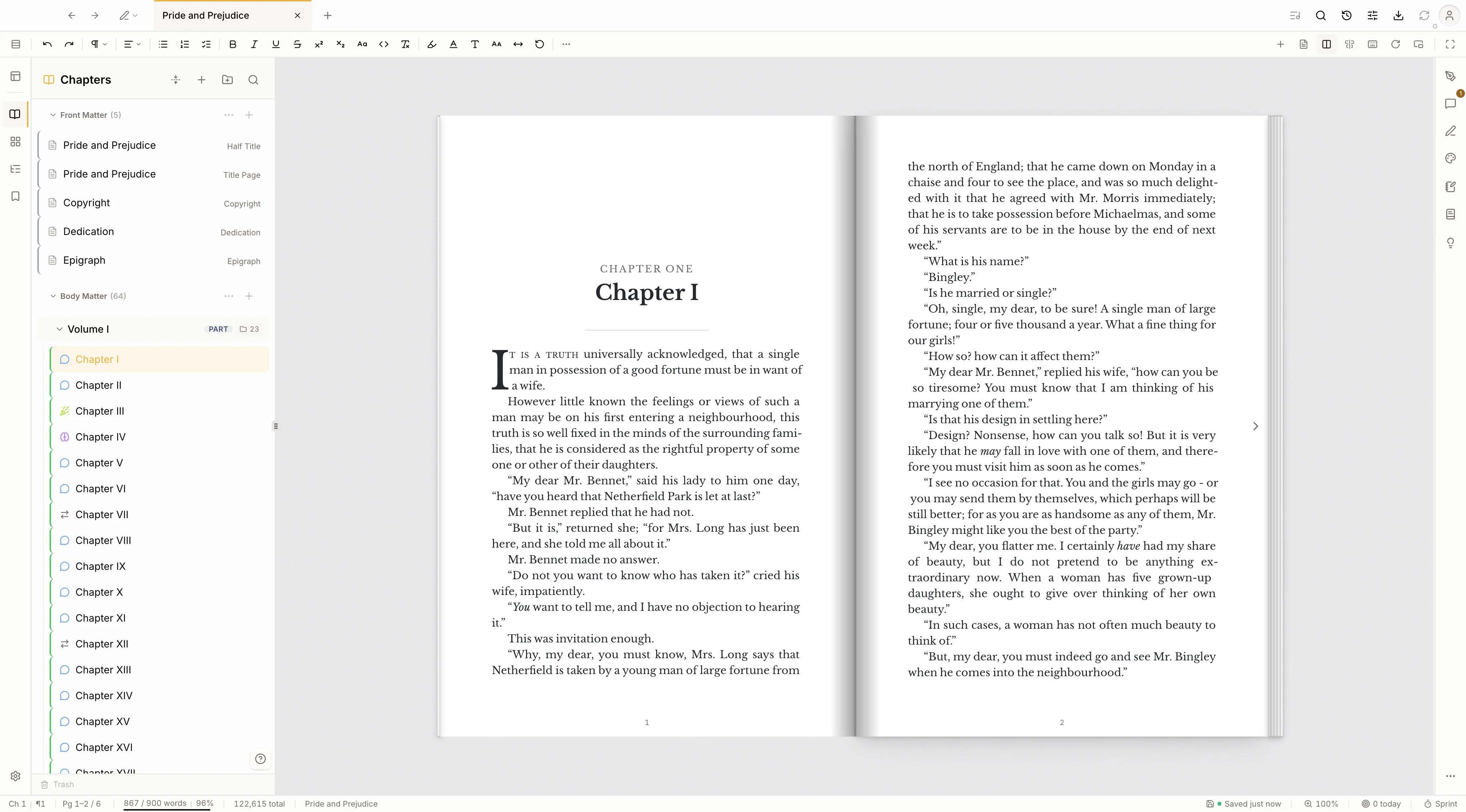
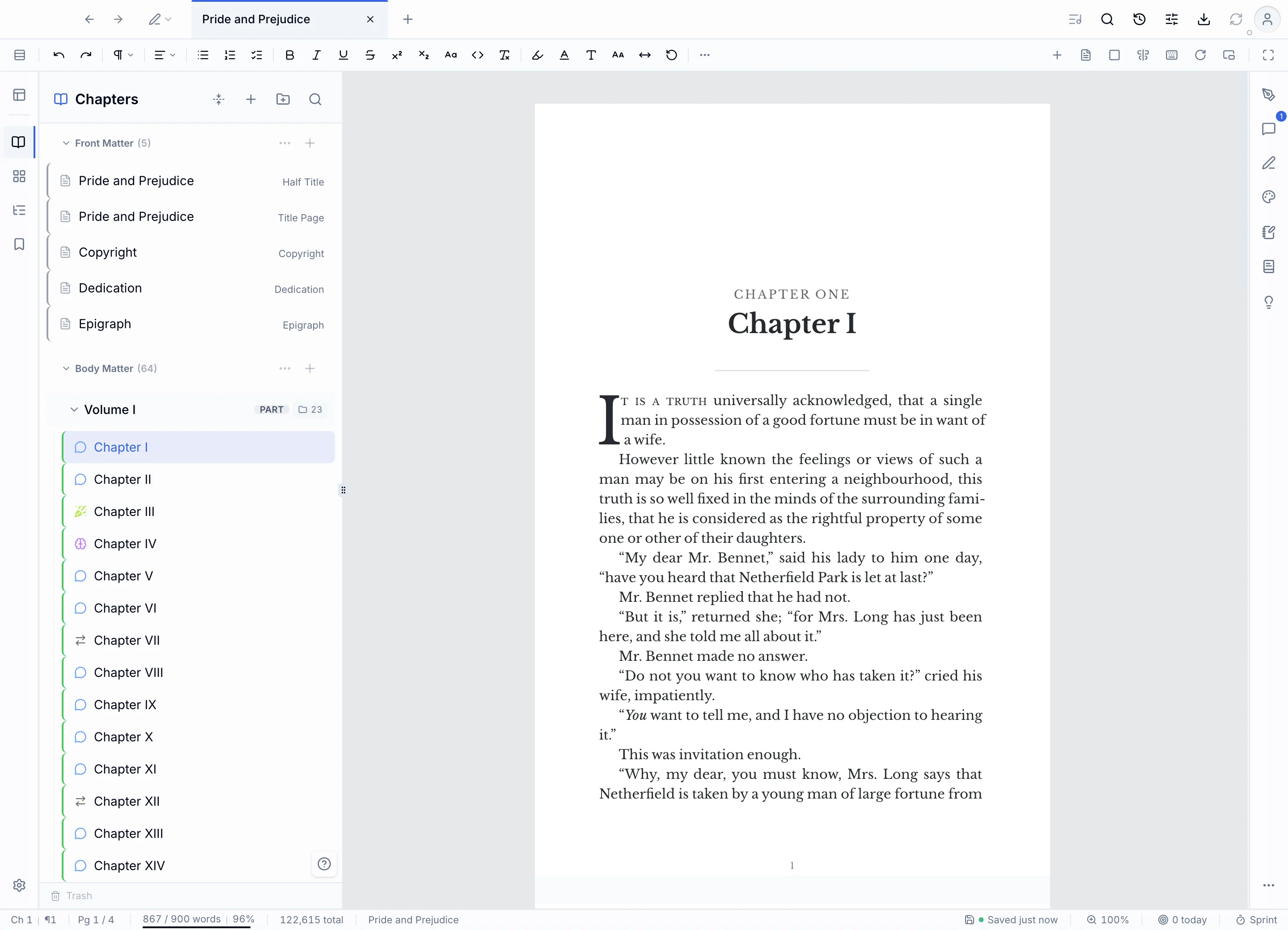
The editor is the book. Drop caps, small caps, baseline-grid alignment, trim size, running headers, page numbers, and a real two-page spread, all rendered live as you type. You never round-trip to a separate view or run an export just to see the finished pages.
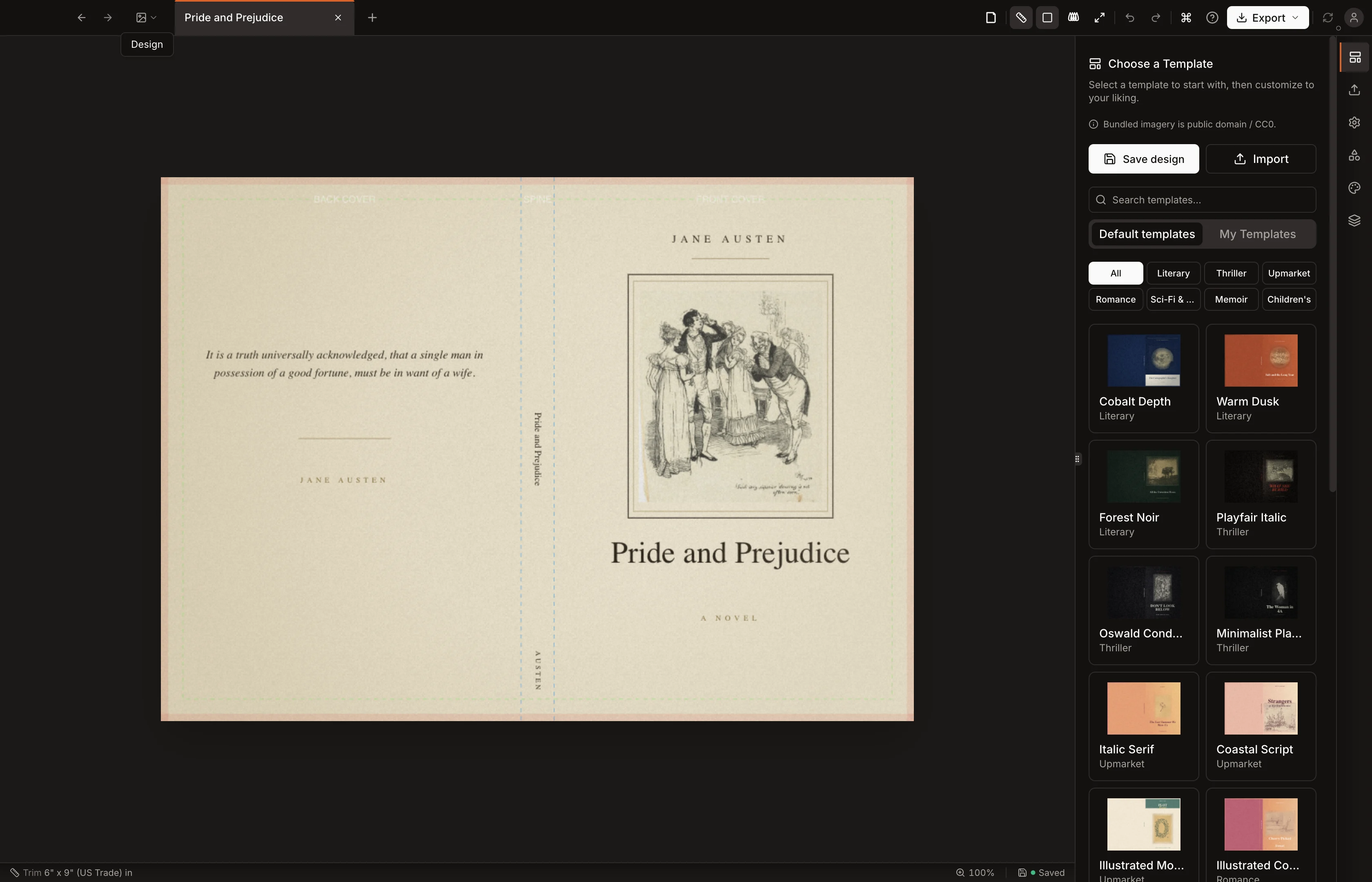
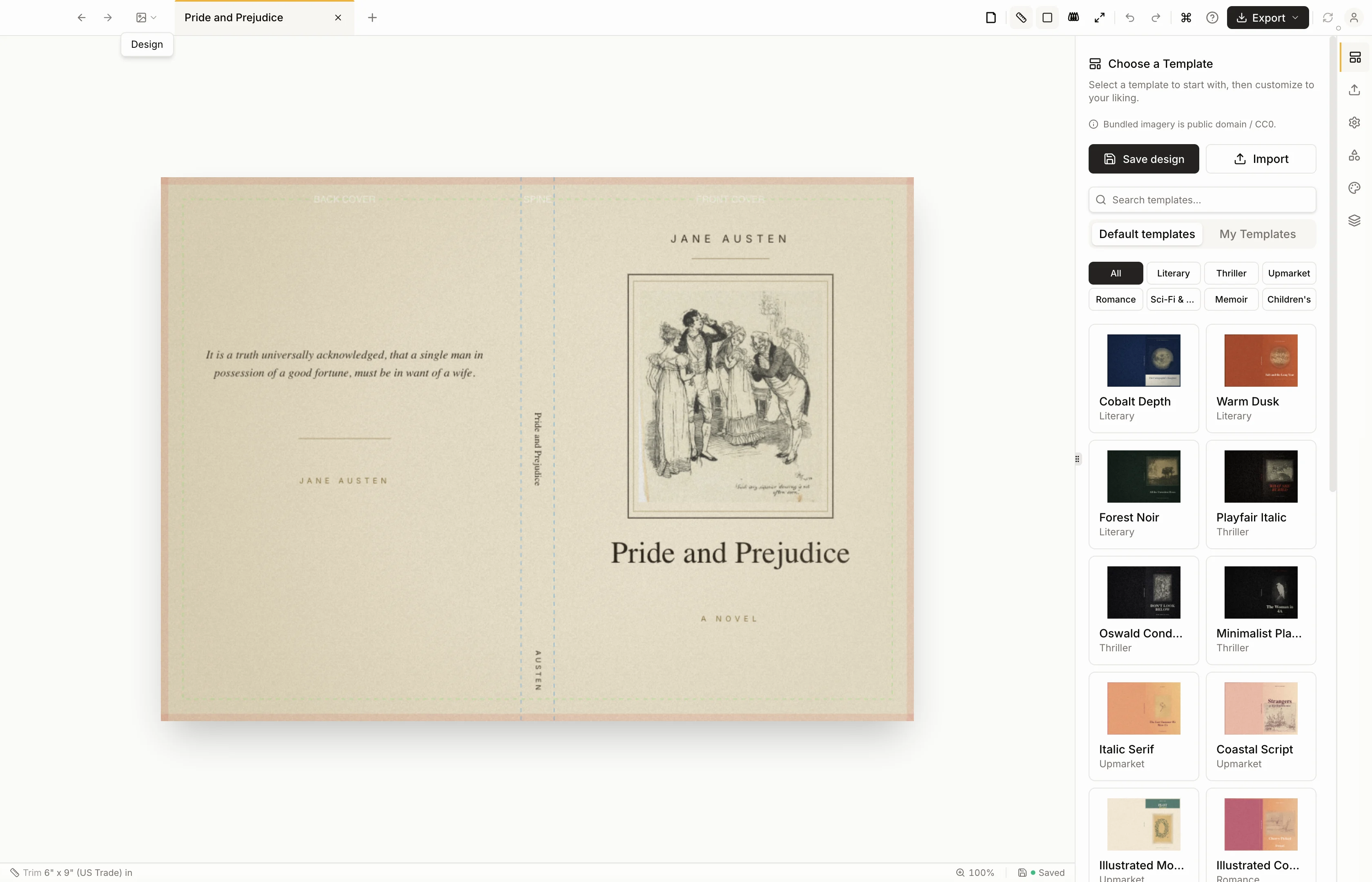
A cover designer with drag-and-drop layout, 22 fonts, background images, ISBN barcodes, and template presets. Export to PNG, SVG, or print-ready PDF.
One manuscript generates PDF, EPUB, HTML, DOCX, RTF, and print-ready PDF with trim marks. Step-by-step guided publishing to KDP, Apple Books, IngramSpark, and Draft2Digital with your metadata pre-filled.
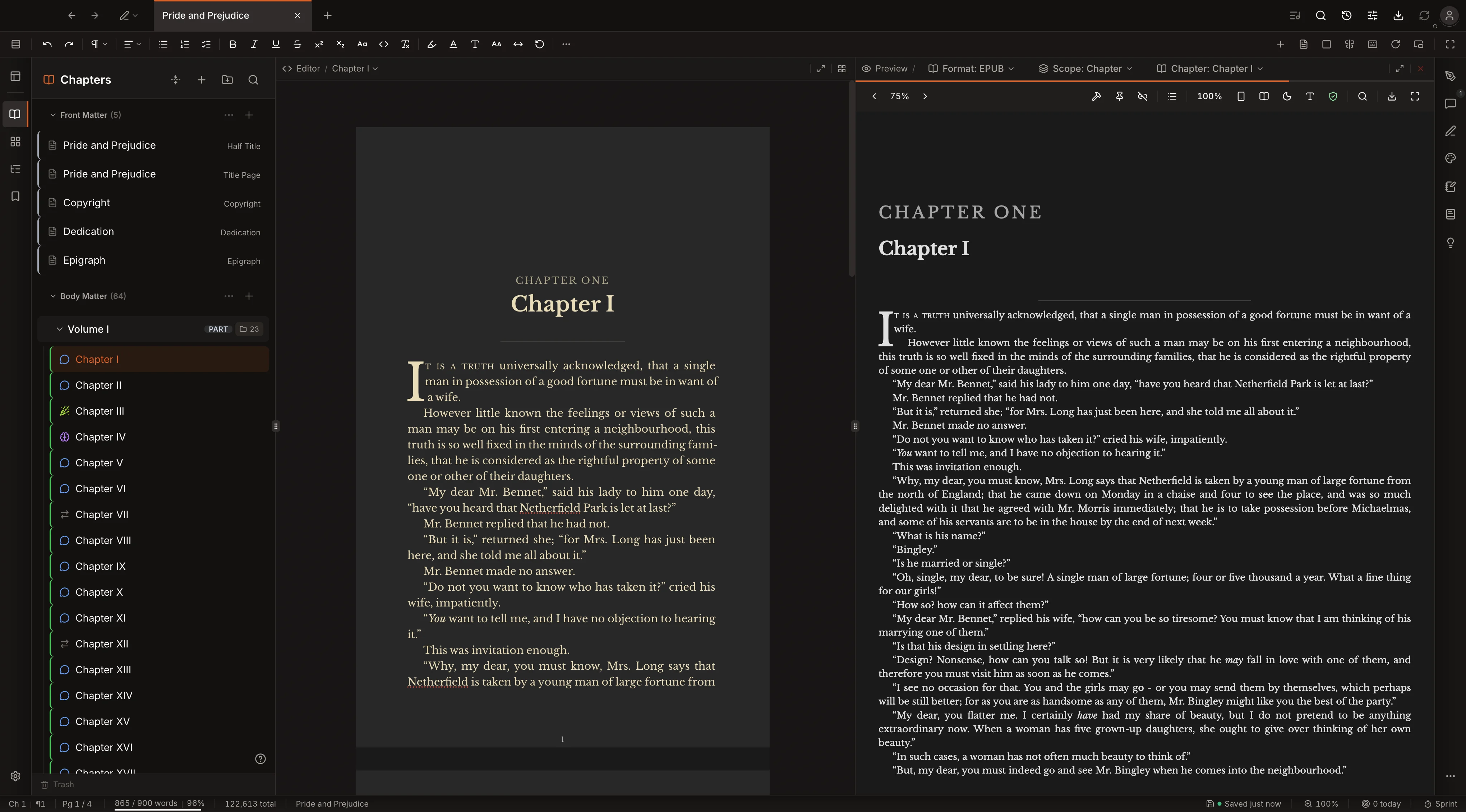
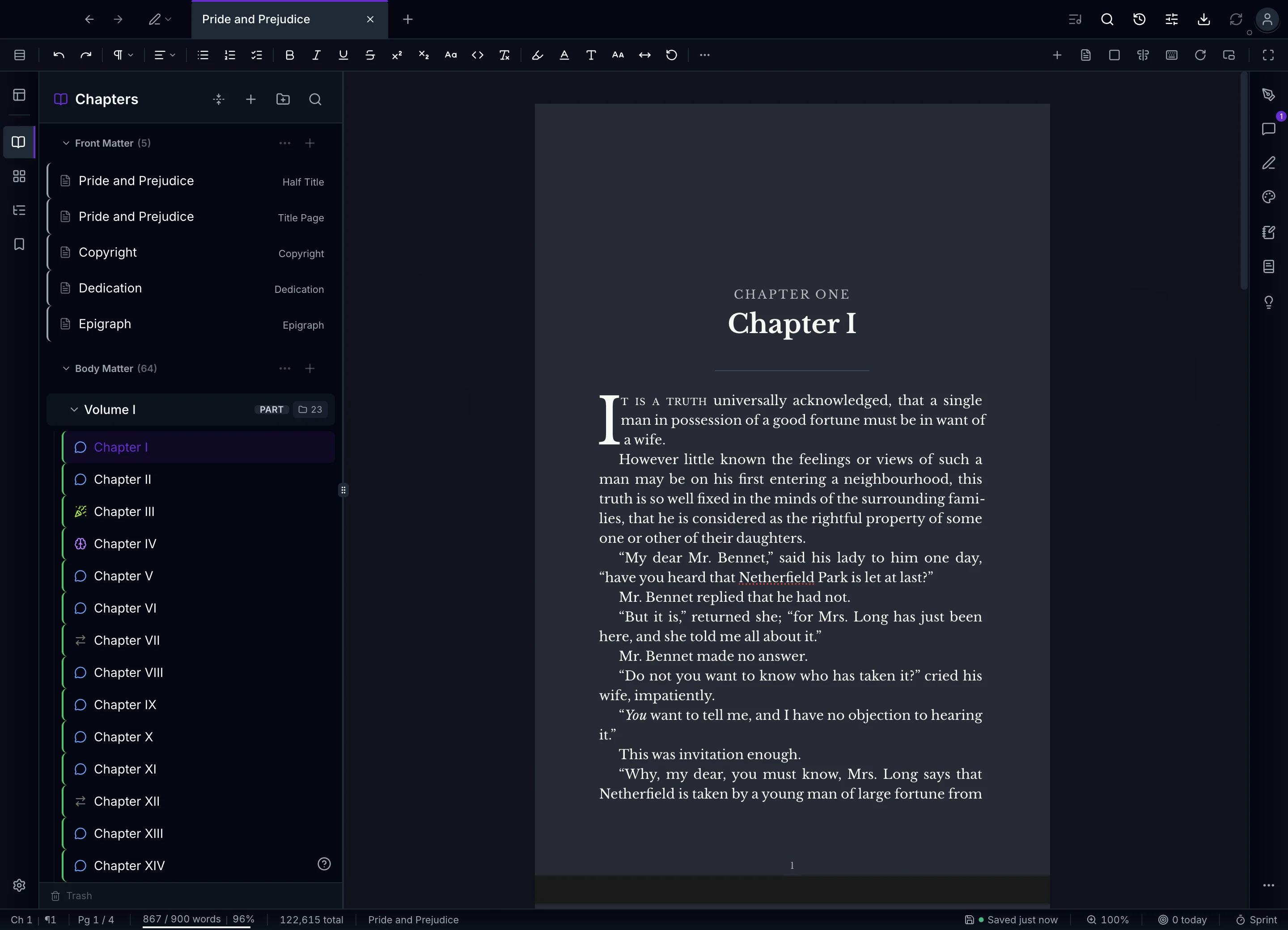
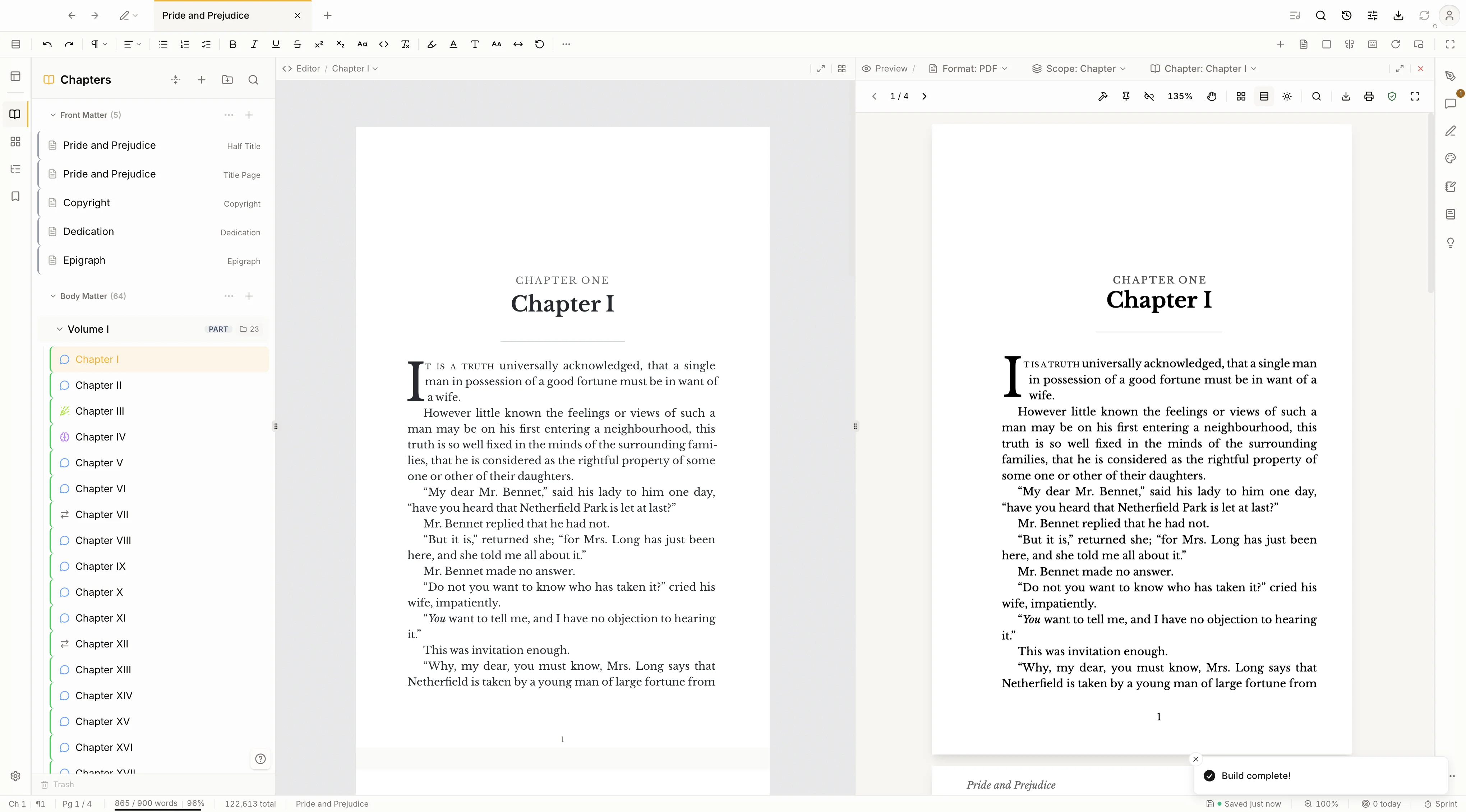
No preview button, no round-trip to a separate view. The pages you draft on are the pages that print. Here is chapter one of Pride and Prejudice, typeset live in the editor.
Want to see the output? Download the complete novel above, exported straight from Kvidha with no edits.
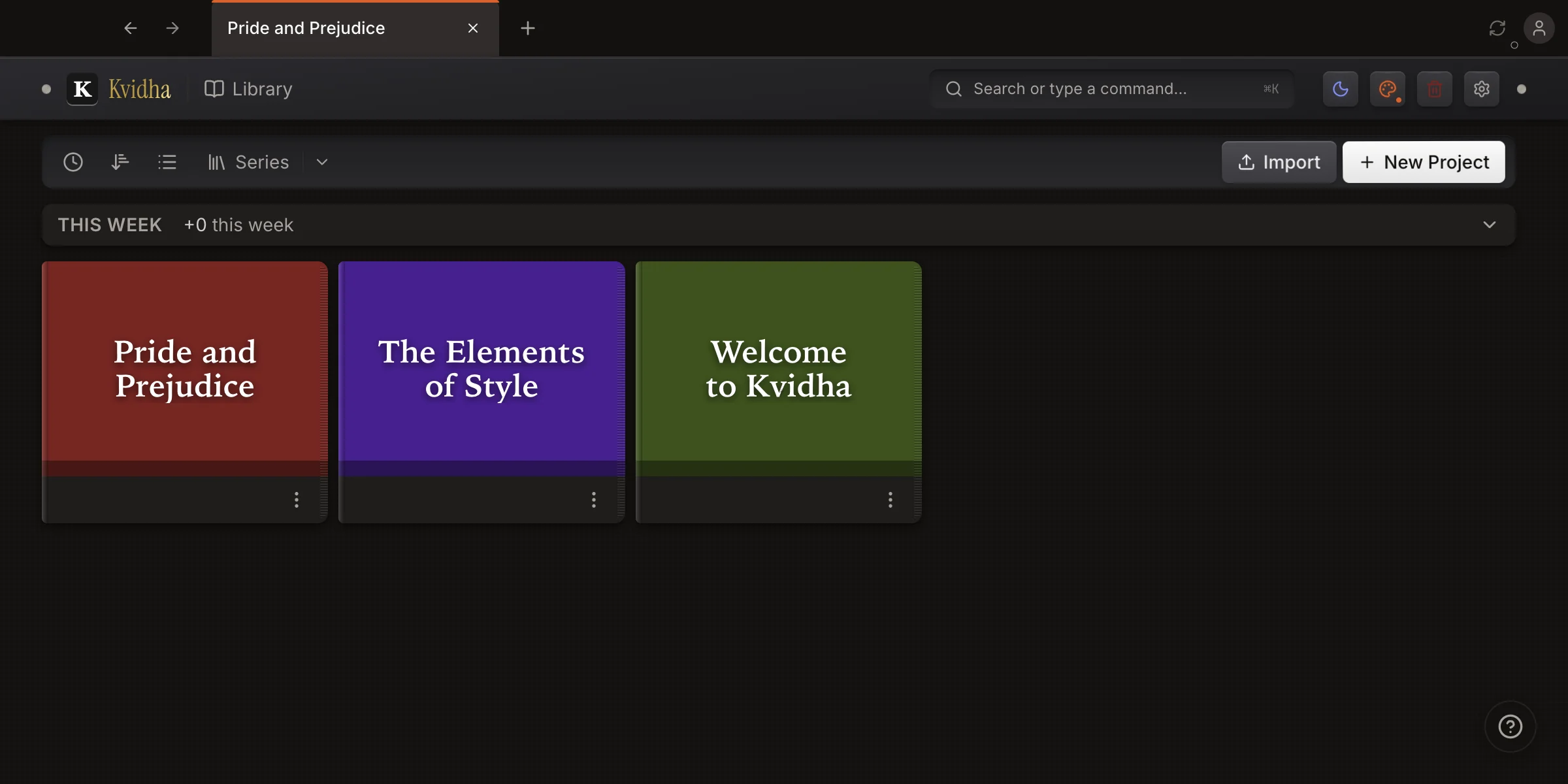
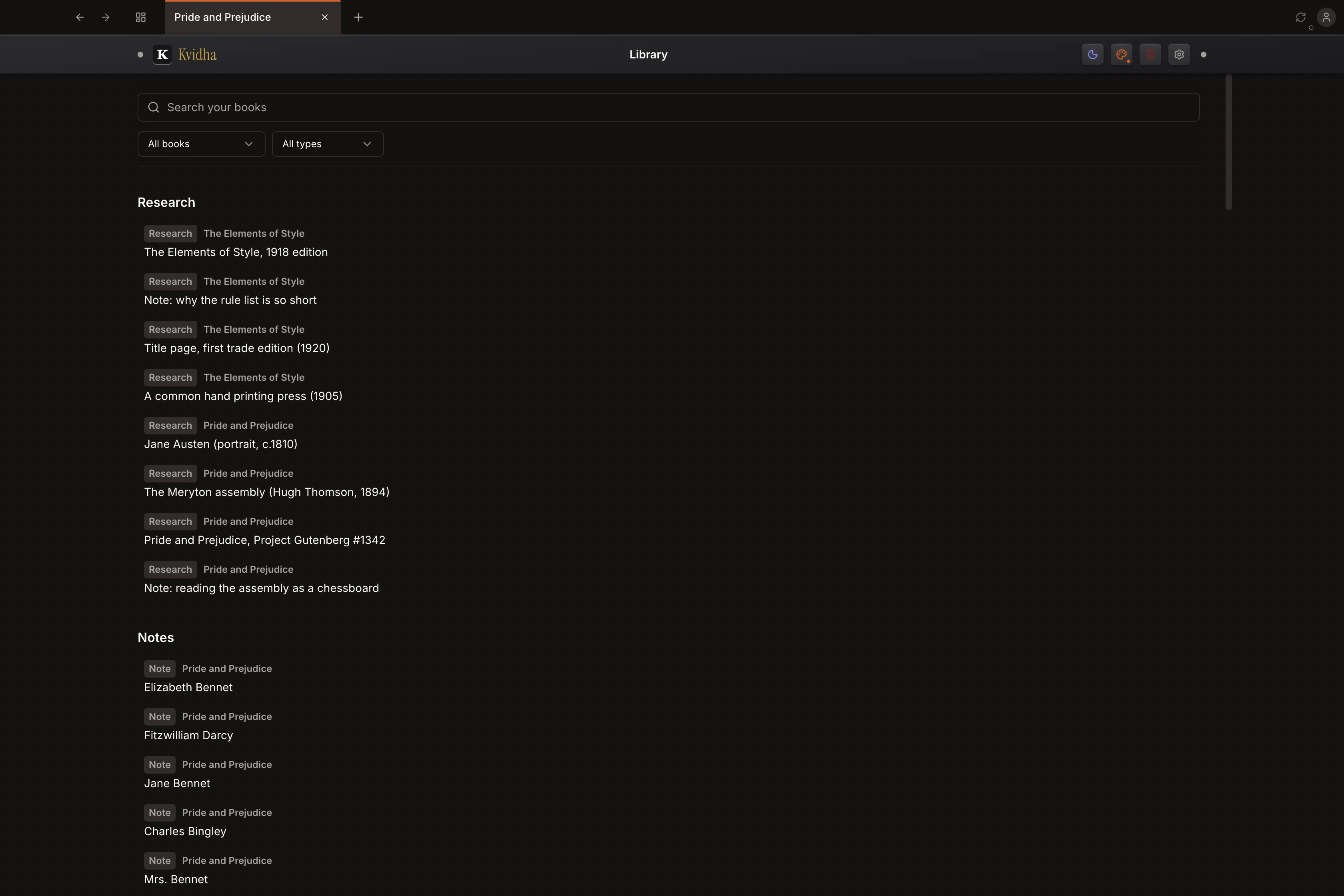
The editor holds one book. The shelf holds all of them: each project as its cover, grouped into series, sorted how you like, and a command search away. Import from Scrivener, Word, or Markdown to begin, and your week's word count rides along the top. Everything in one file on your disk.
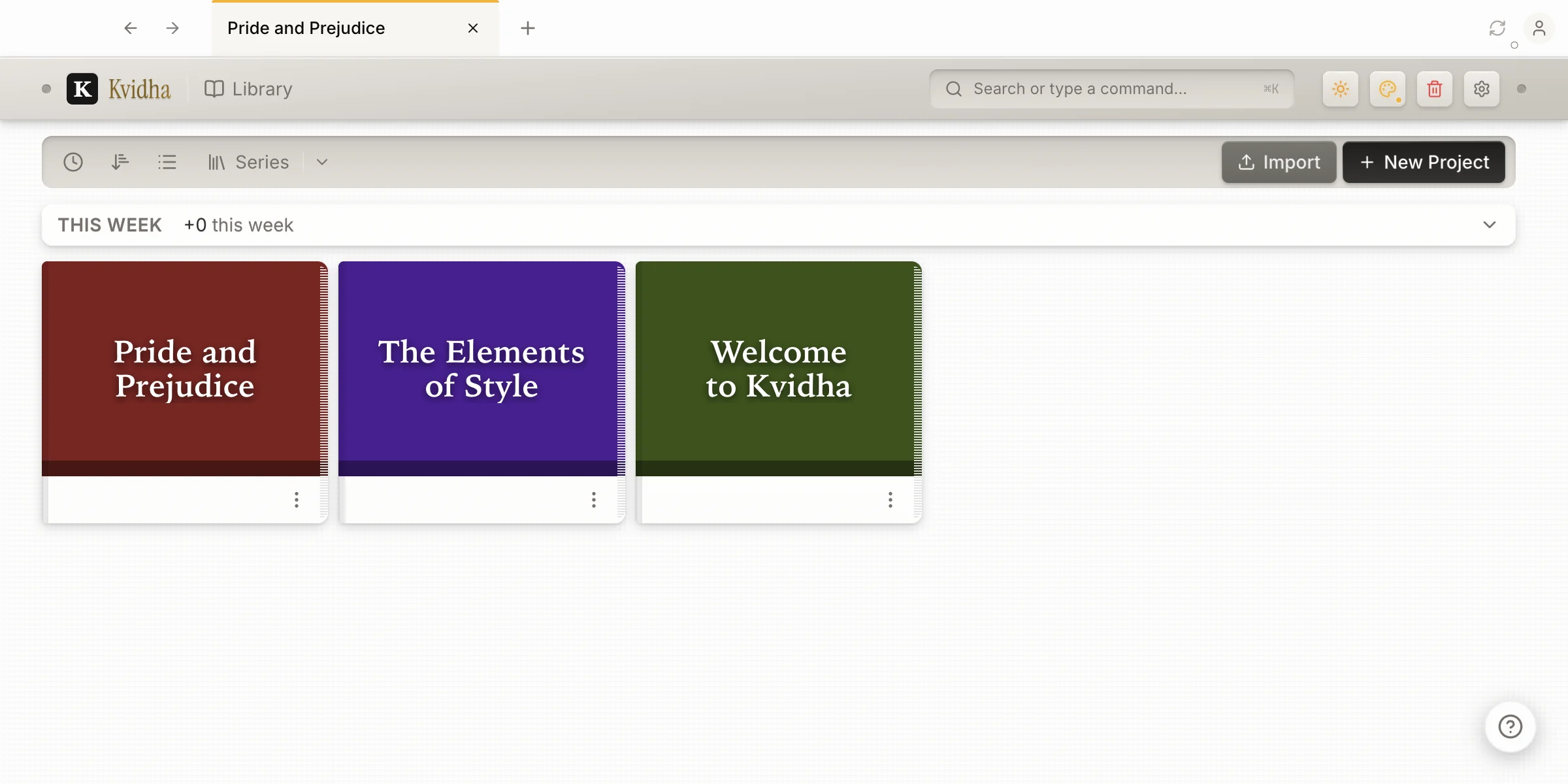
Light or dark, warm paper or cool gray, with the accent you choose. Swap the page color and the chrome in a click; the type and the trim stay book-grade in every one.
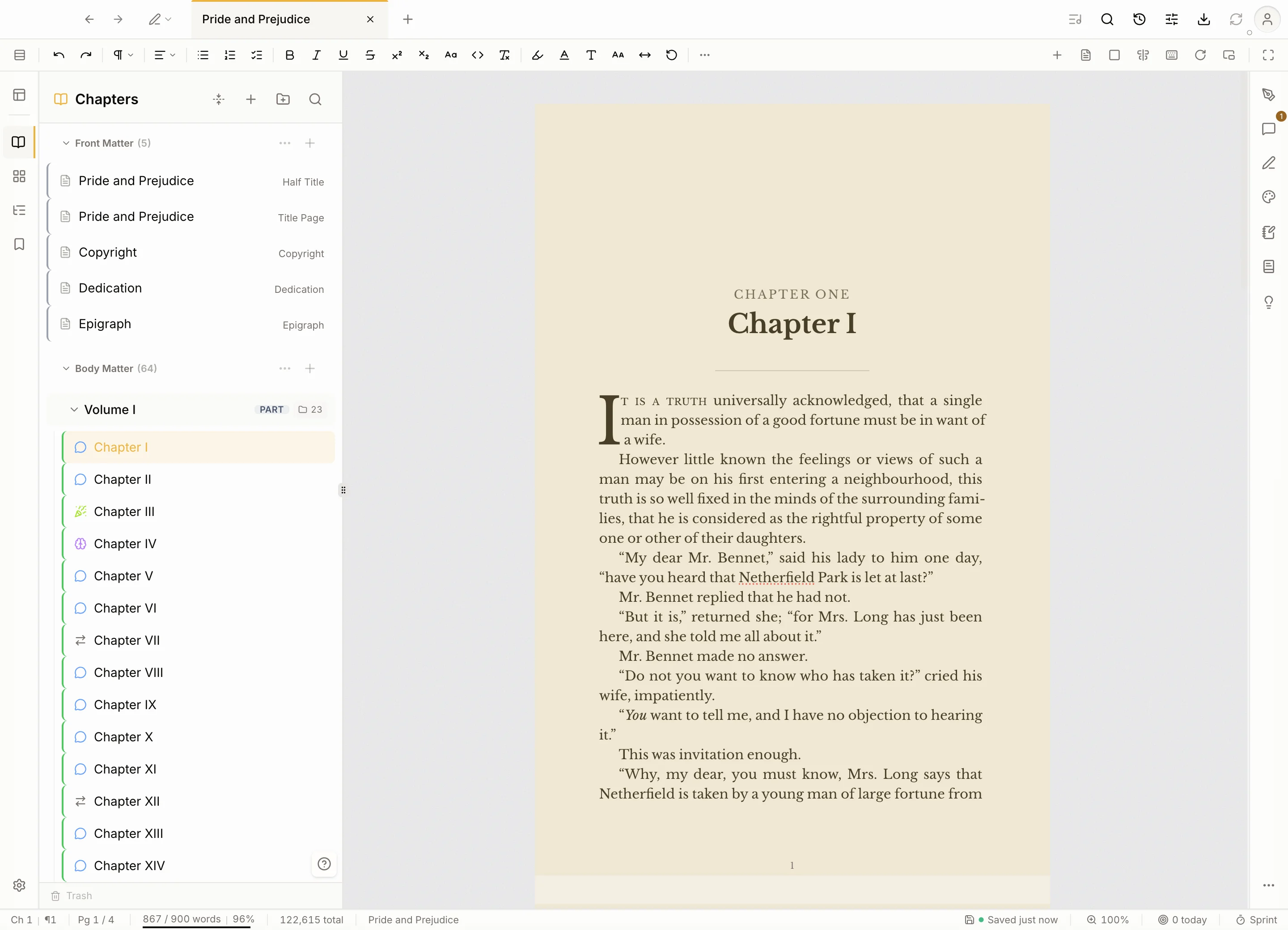
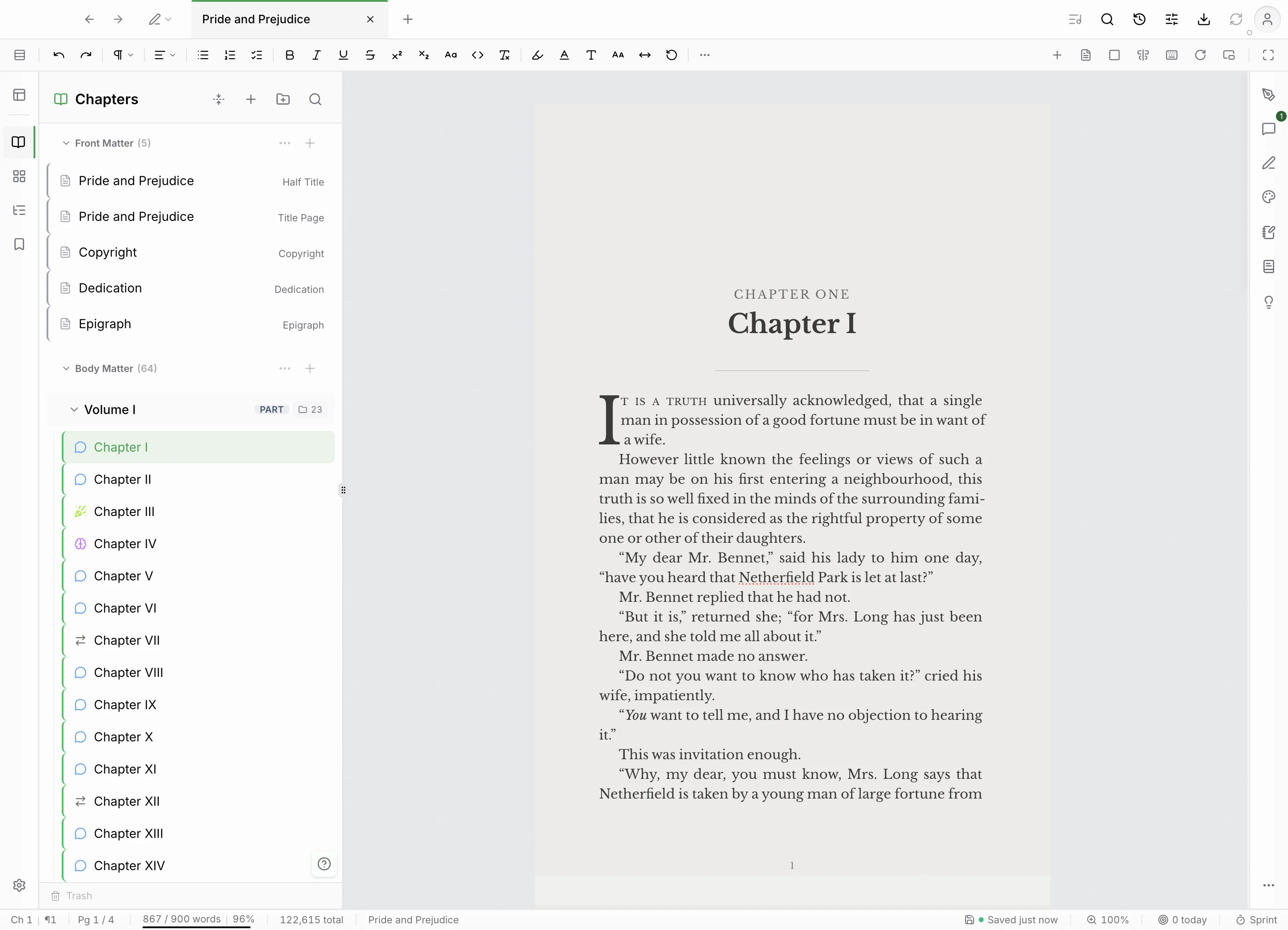
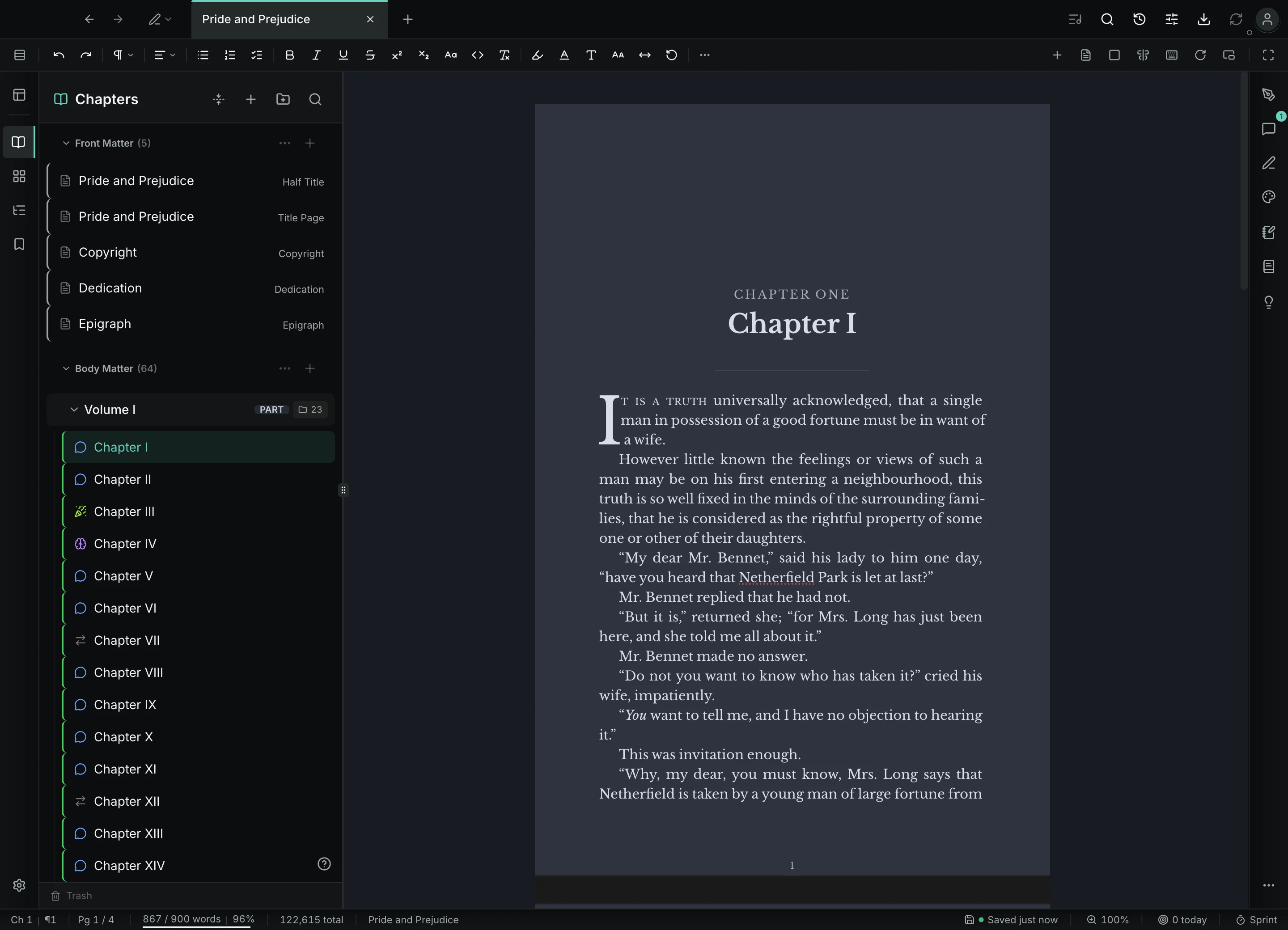
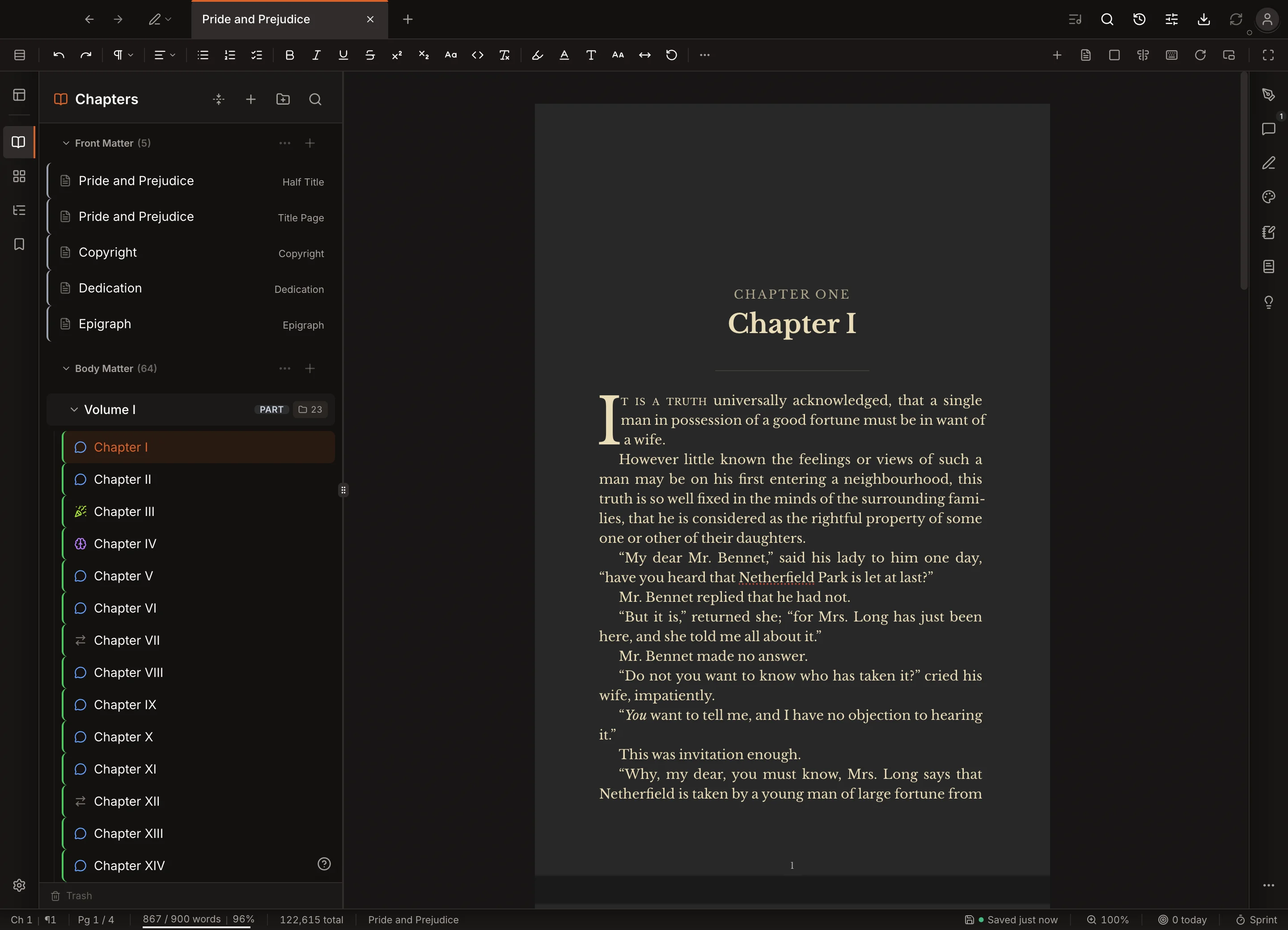
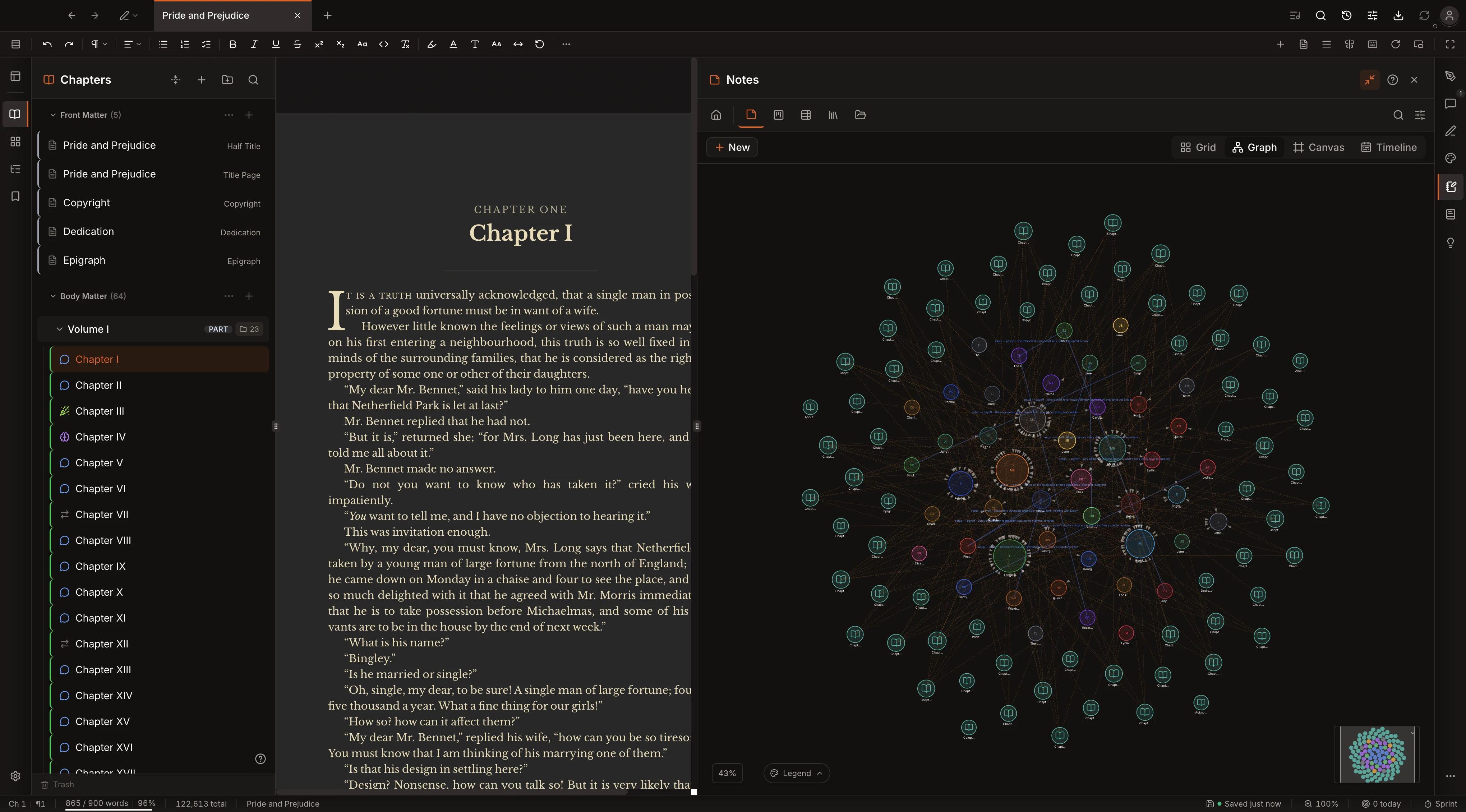
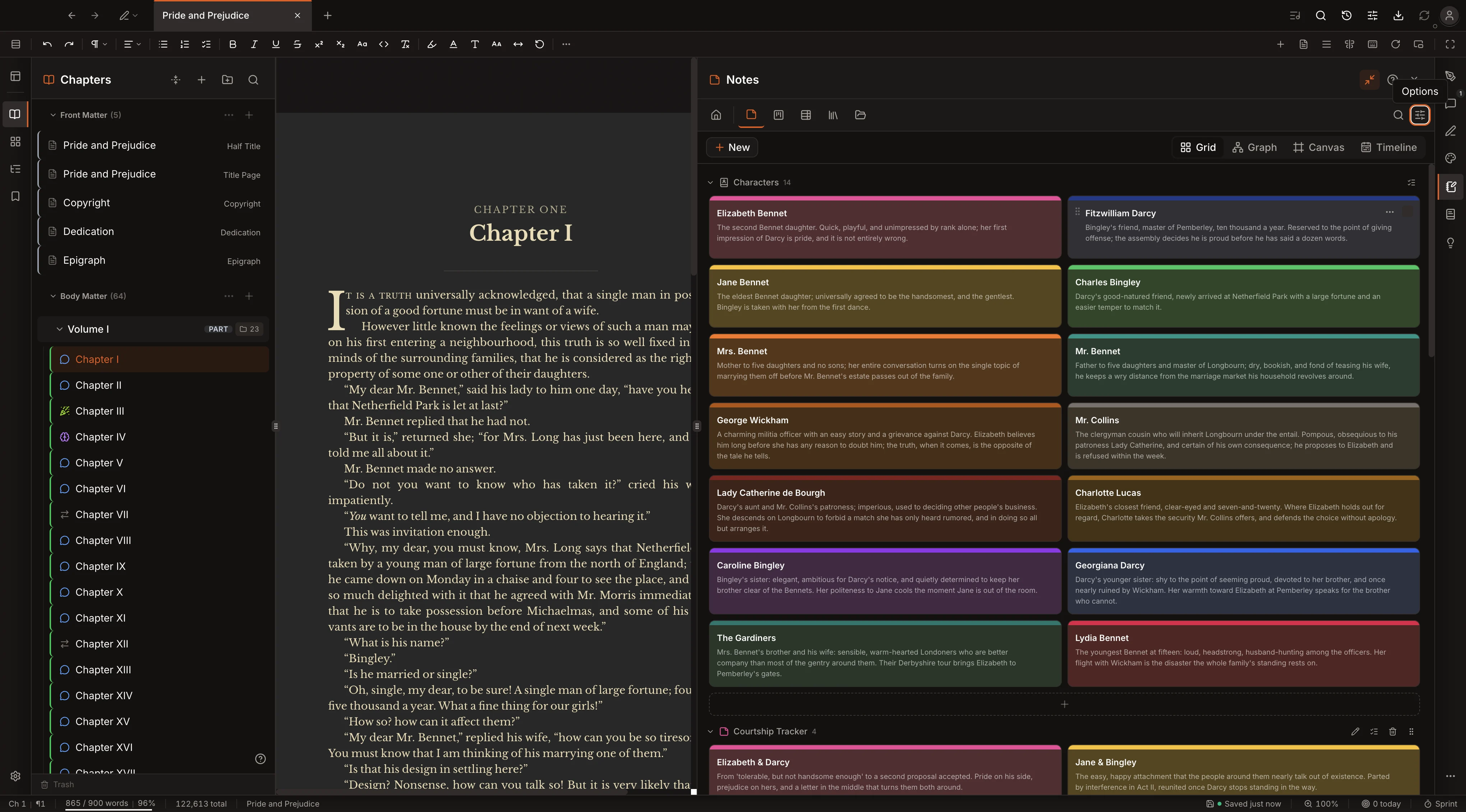
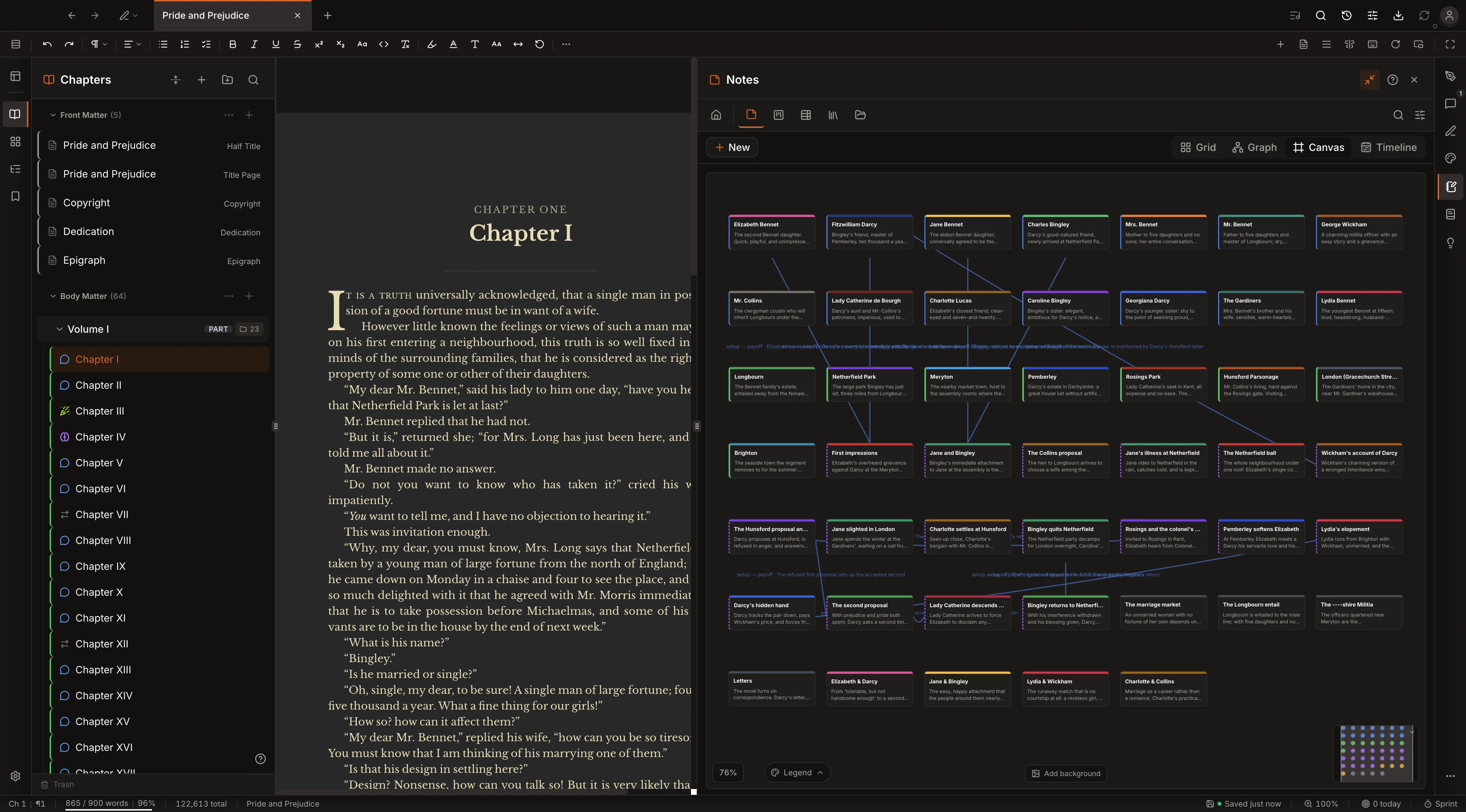
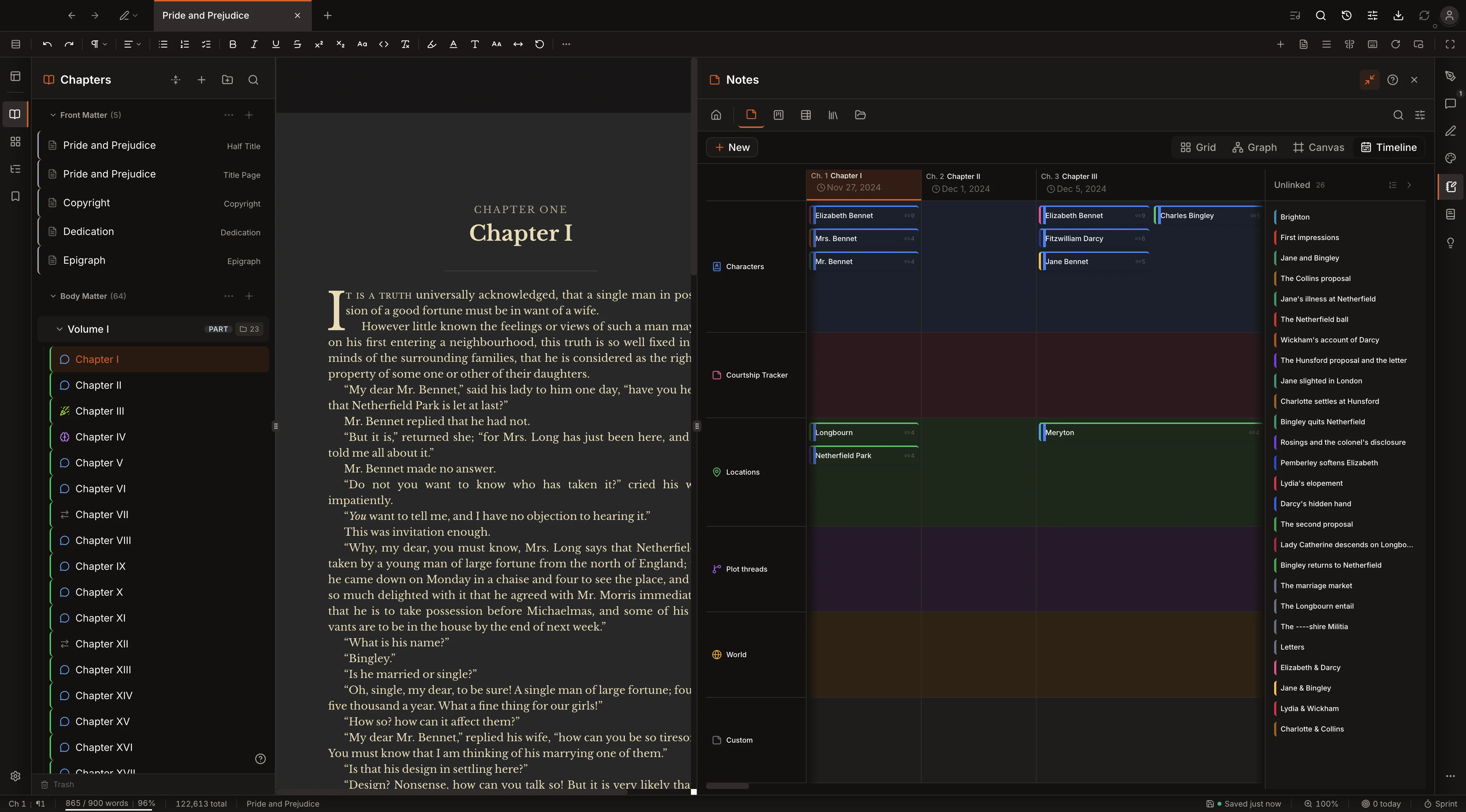
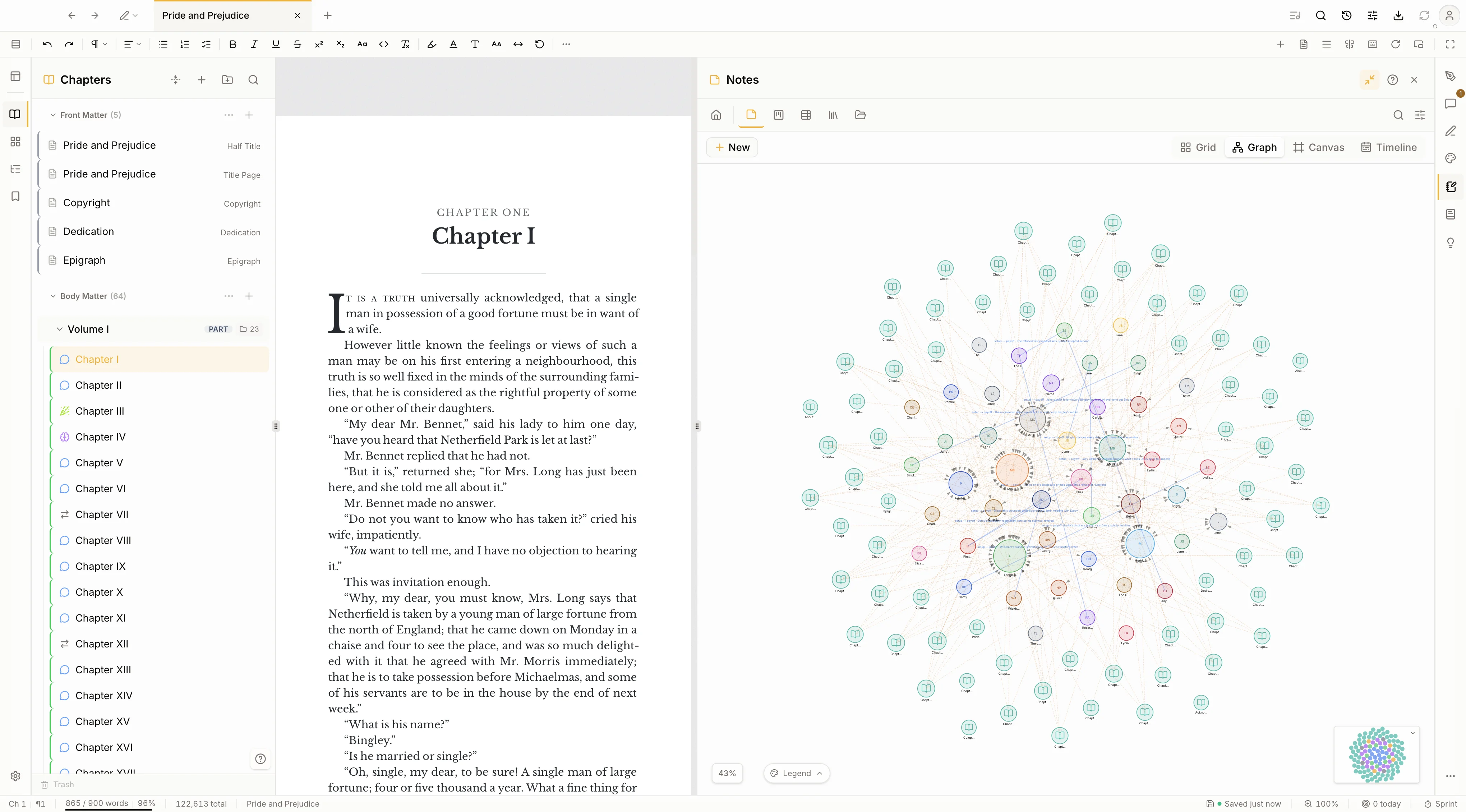
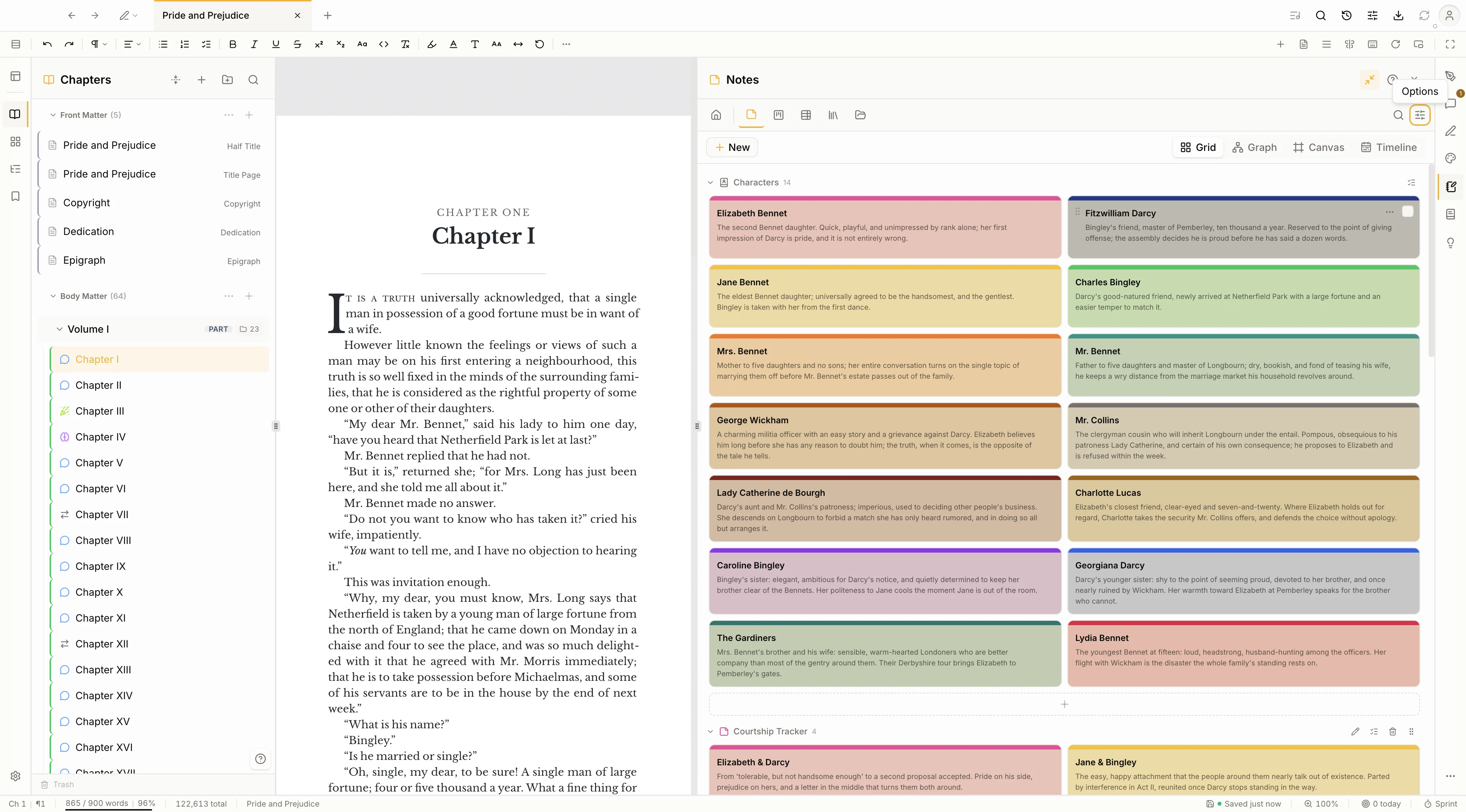
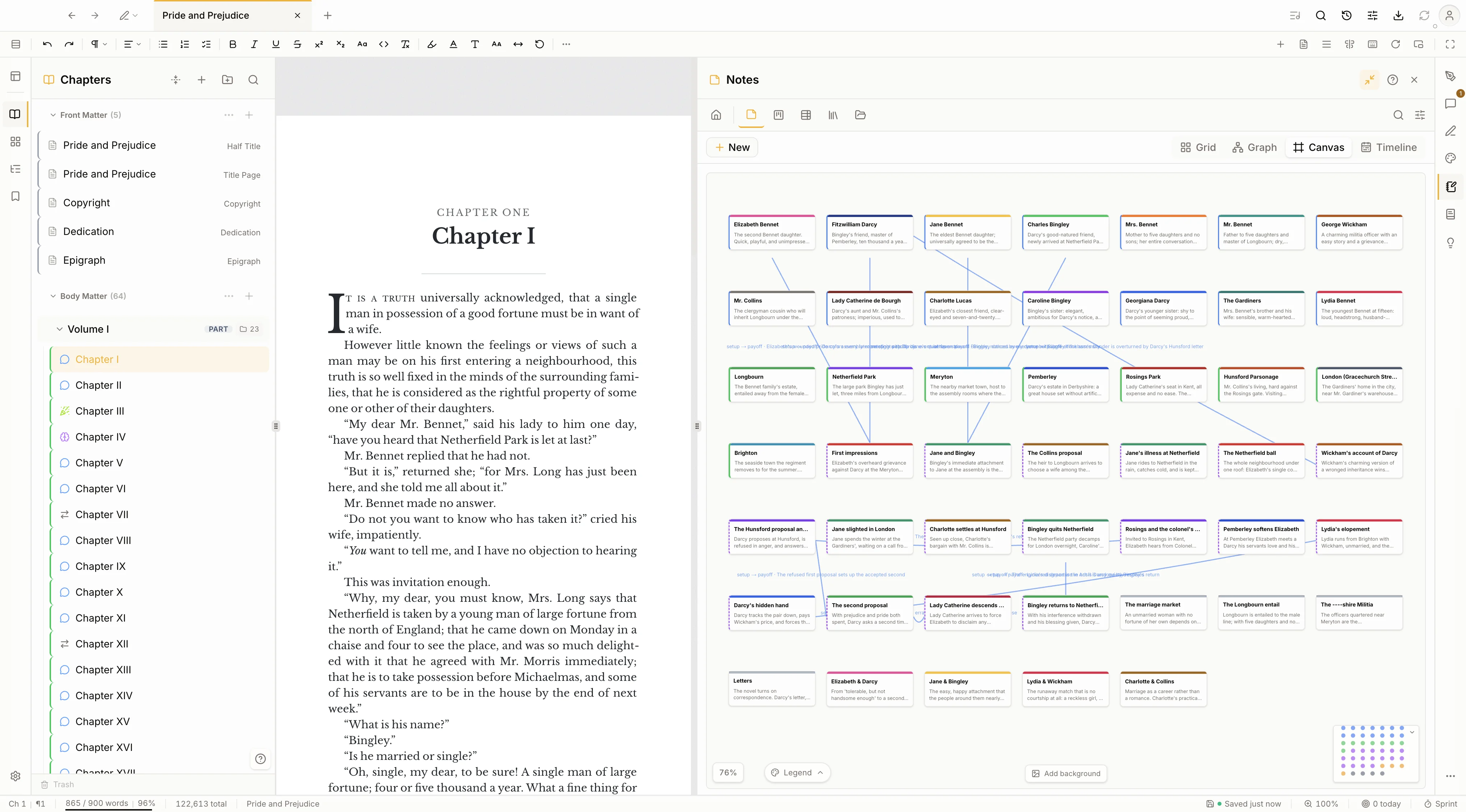
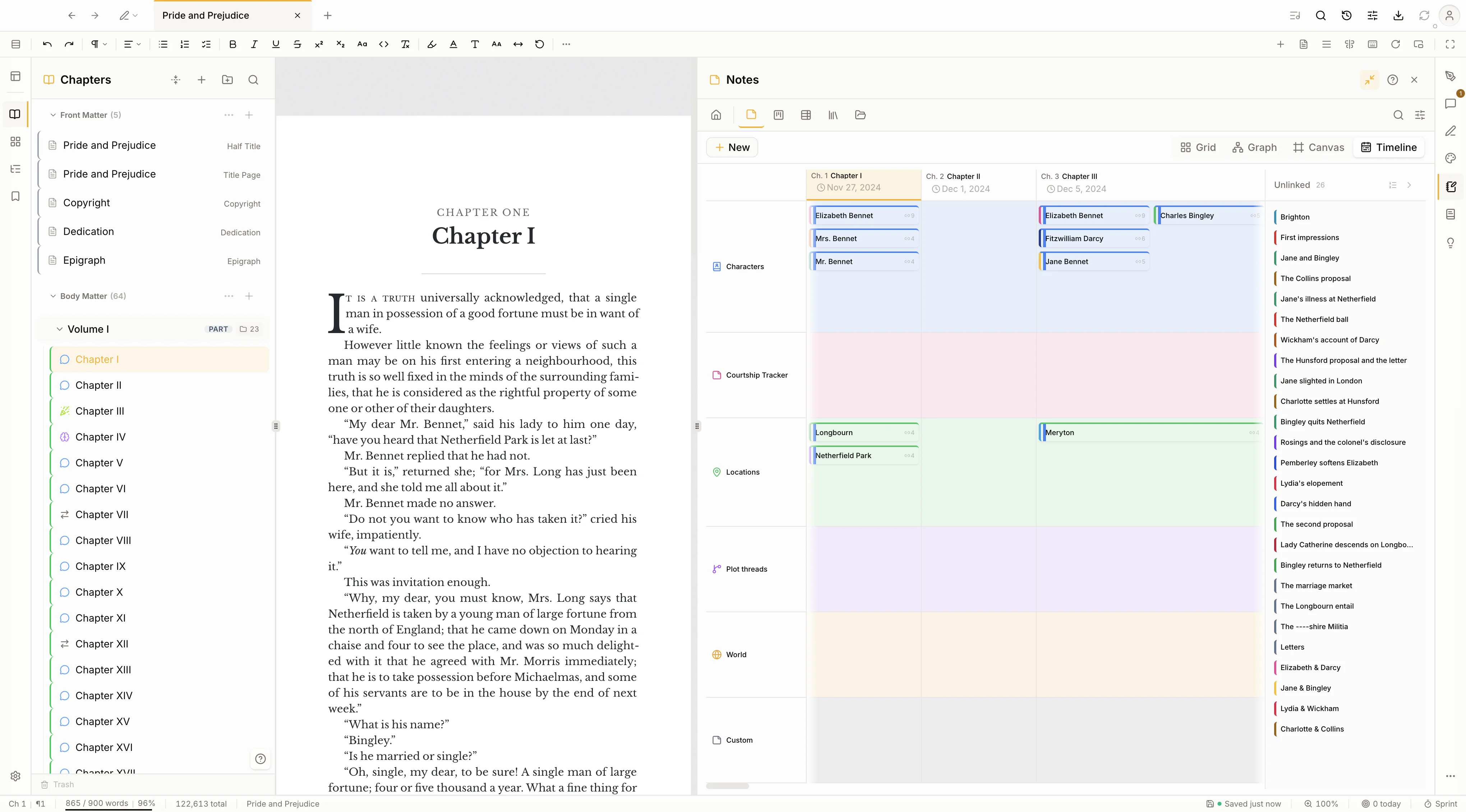
Characters, locations, and plot threads live beside the manuscript. The same notes show up four ways: as cards, as a relationship graph, on a free canvas, and on a timeline that runs by chapter. Draw a connection once and it holds across every view.
There is no manual to read first. This is the whole path, from a blank page to files you can upload to a store.
Type into a fresh project, or import a Word document, Markdown, or a Scrivener project. Your chapters line up in the sidebar, ready to rearrange.
Choose 6 by 9 or any common size. Your words flow into real pages, with running headers, a drop cap, and page numbers, redrawn as you write.
Open the cover designer in the same window. Start from a print template, swap in your own art, and type your title across the front, spine, and back.
One build produces PDF, EPUB, DOCX, and seven more. Then follow the guided steps for KDP, Apple Books, IngramSpark, or Draft2Digital.
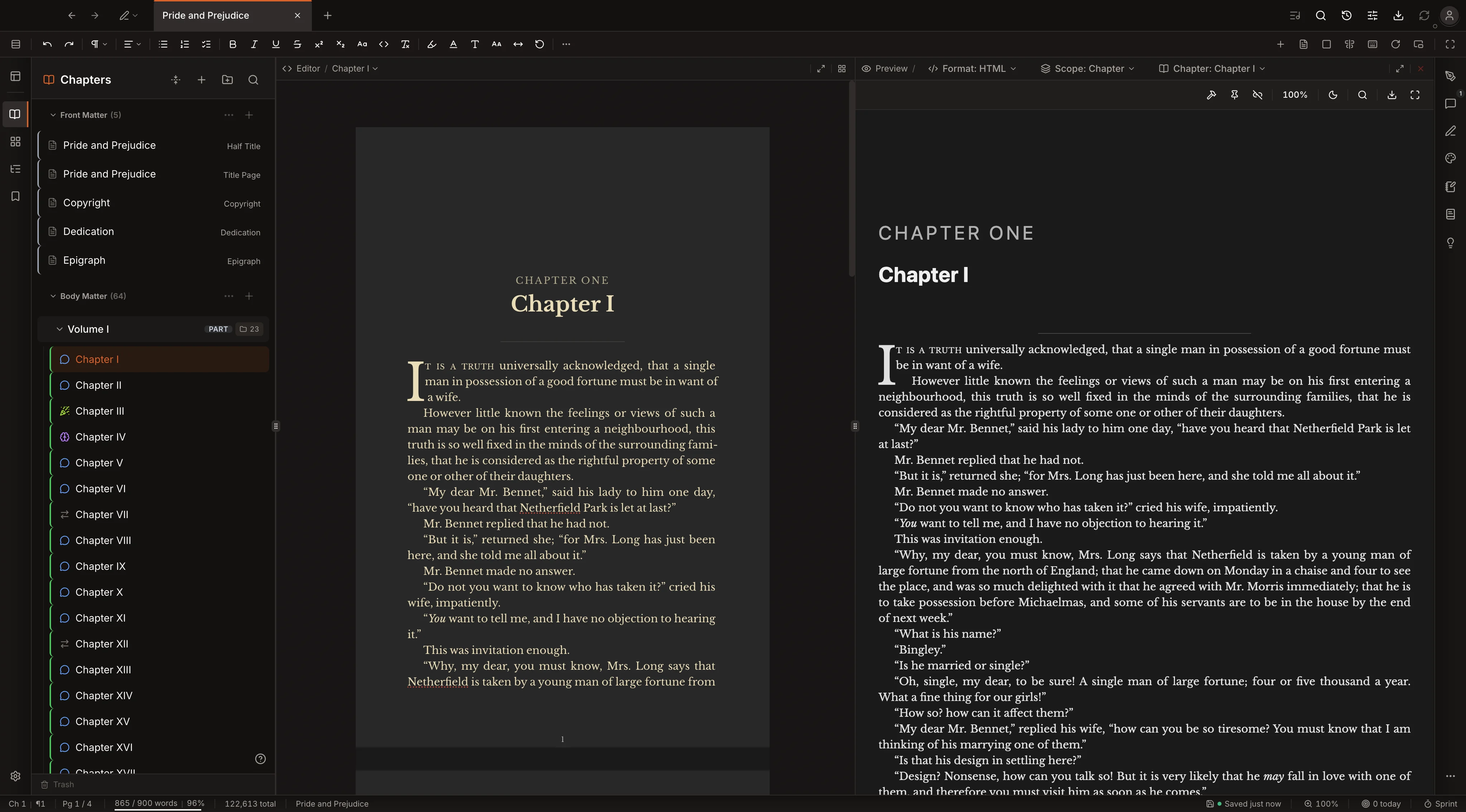
Write once in the visual editor. Build to PDF, EPUB, HTML, and DOCX with a single click.
Print-ready output with trim marks, bleed, and embedded fonts. Identical to what your readers hold.
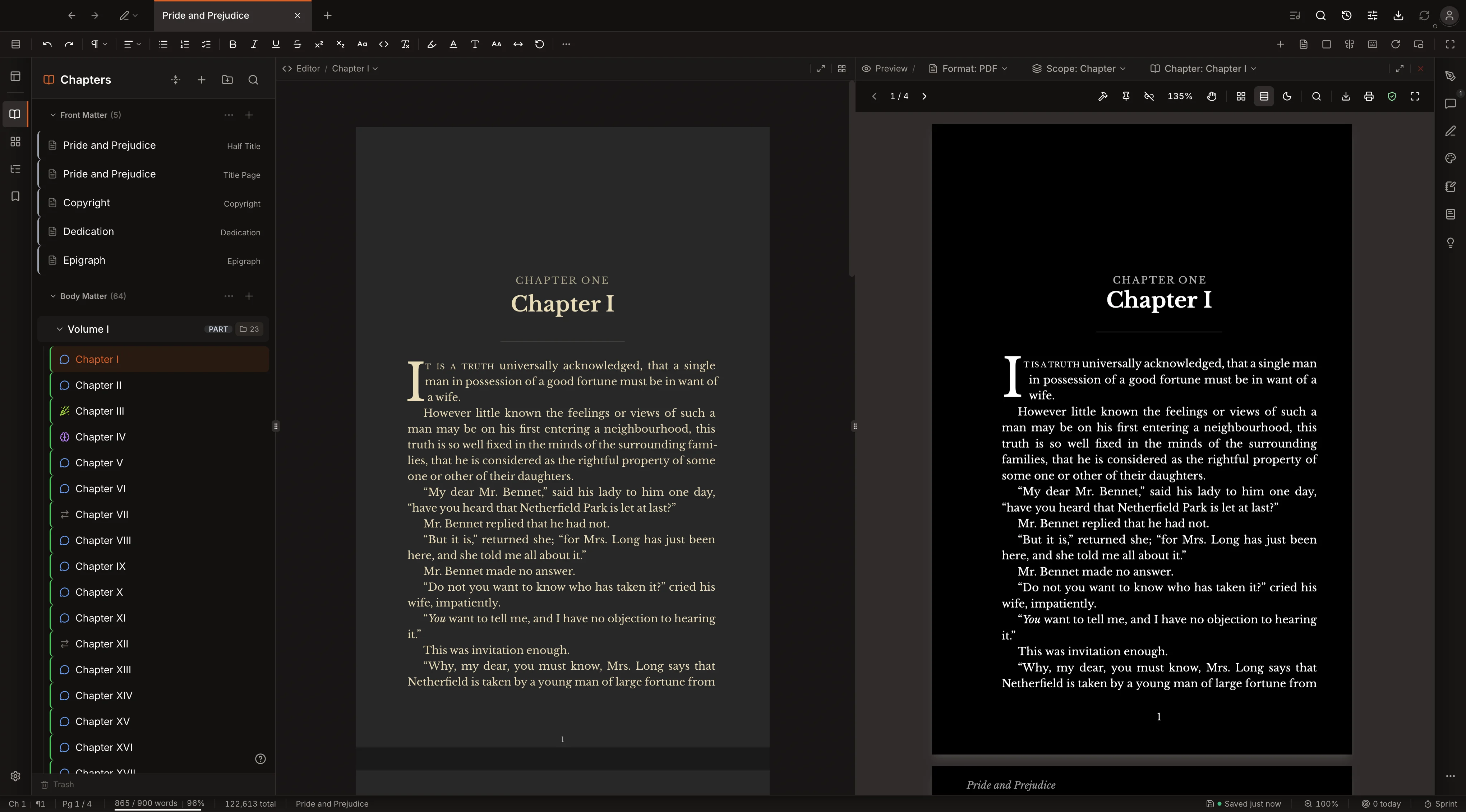
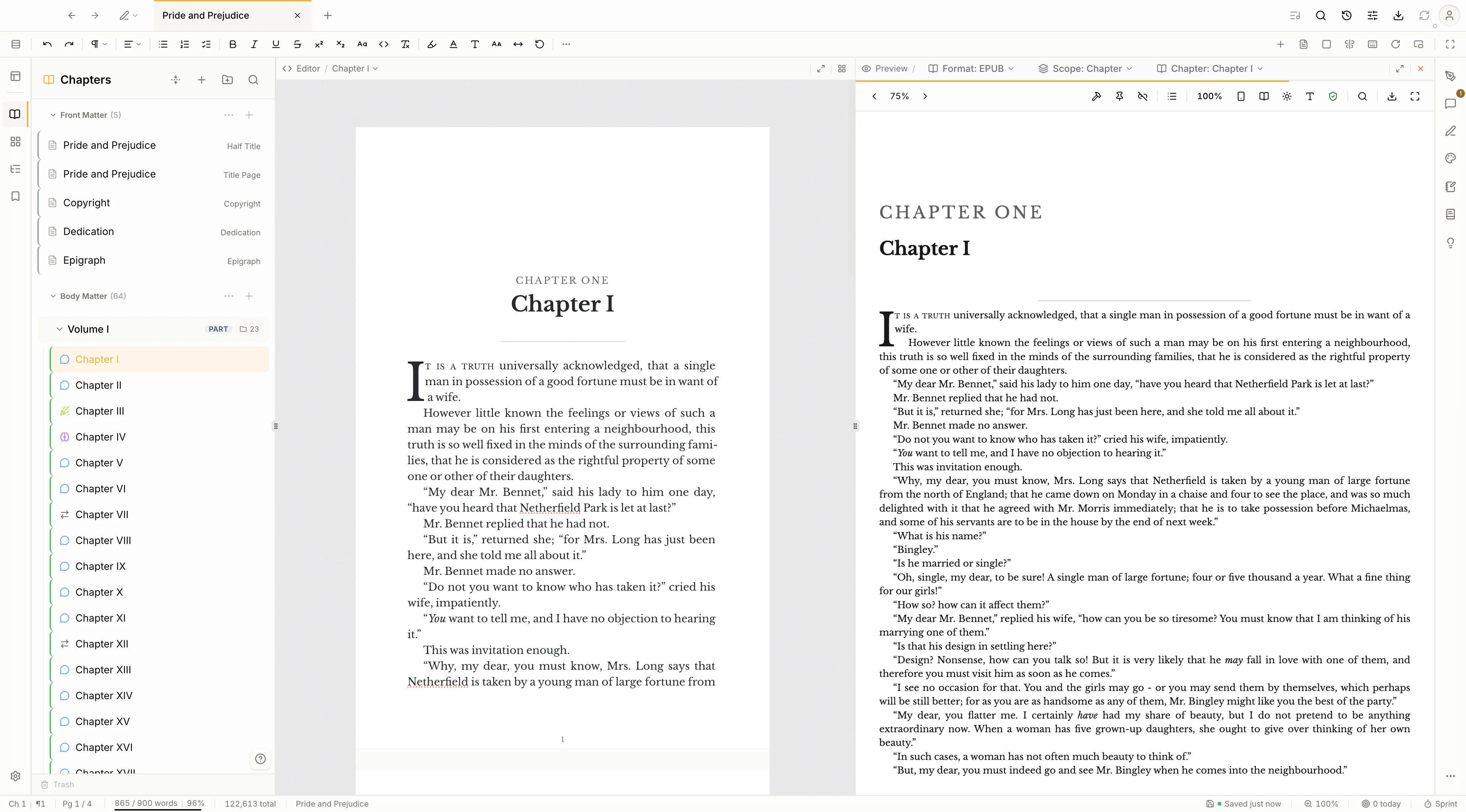
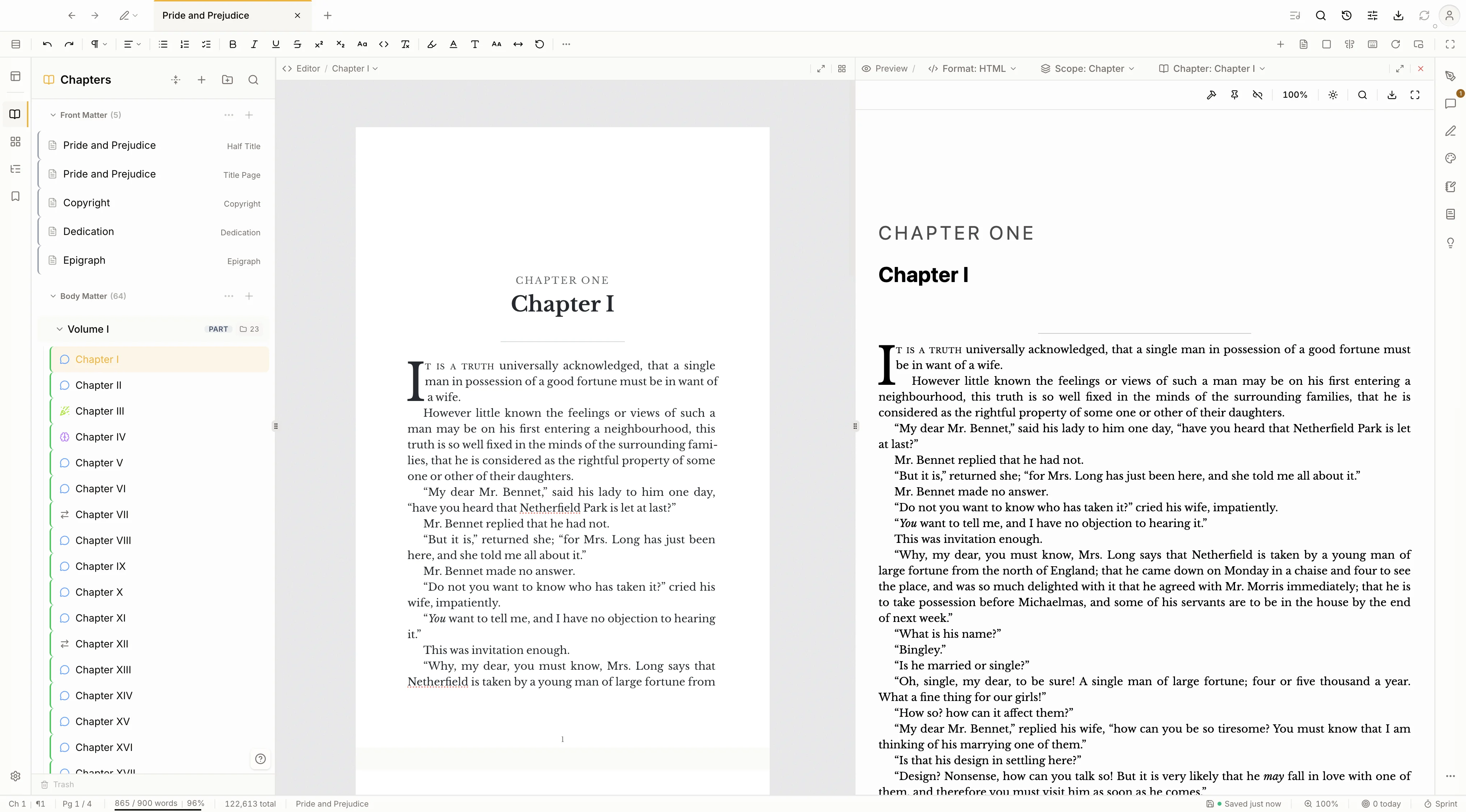
Build the chapter to a real PDF, EPUB, or reading website and read it in a pane next to the editor. Catch a bad page break or a stray widow in the finished file while you are still writing, not after you export.
A seven-step walkthrough for Amazon KDP, IngramSpark, Apple Books, and Draft2Digital. Kvidha lays out what each store asks for and hands you a checklist ready to paste. You upload on the store's own site.
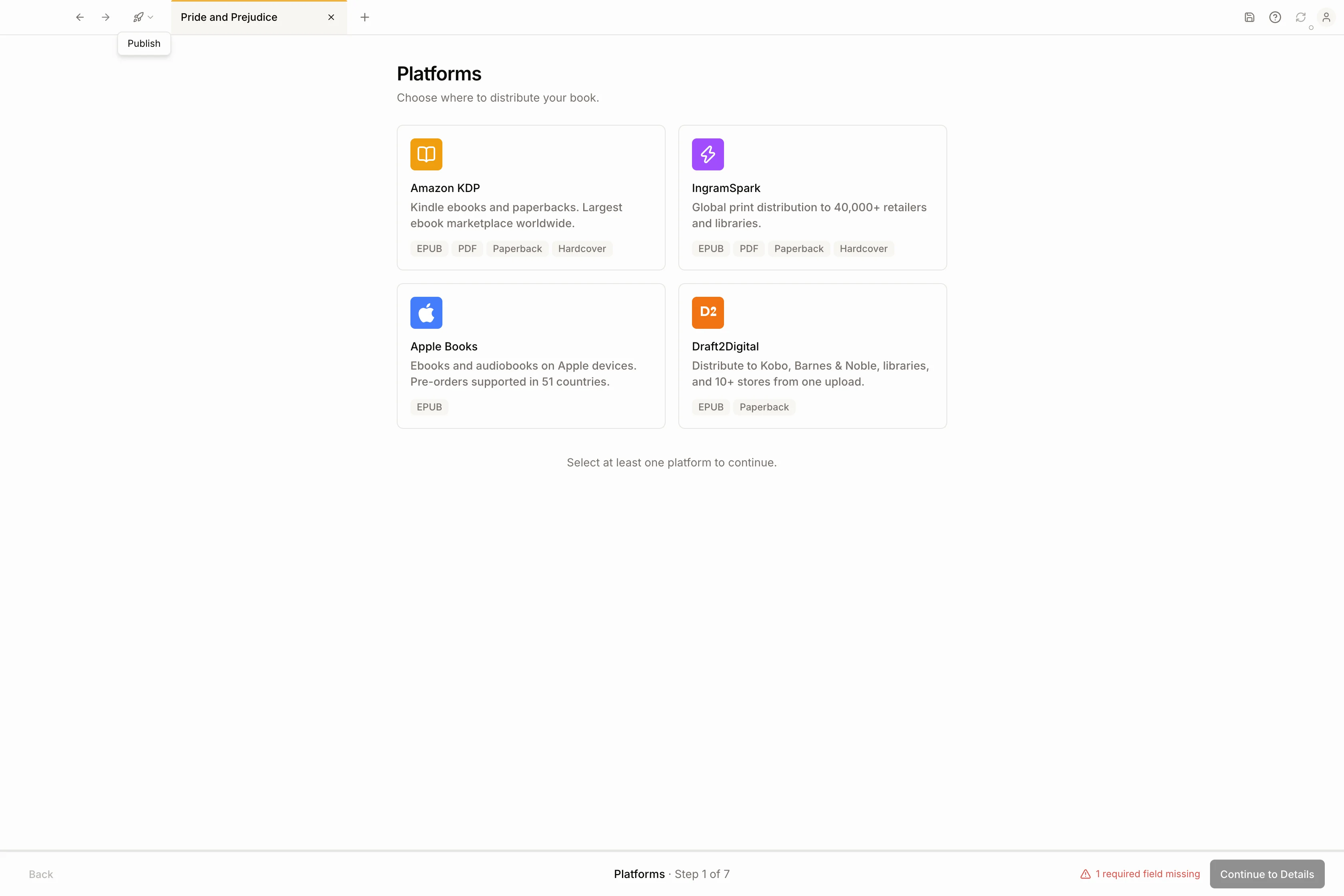
Metadata, laid out per store
Blurb, categories and keywords, publisher, language, and an AI-disclosure field, each matched to what KDP, Ingram, Apple, and Draft2Digital ask for.
ISBNs it checks digit by digit
Enter your ISBNs and Kvidha validates and formats them. Set your list price and royalty tier while you are there.
Files validated, cover resized
A preflight checks your EPUB and PDF and flags a stale build or missing alt text. The cover re-renders to each store's exact pixel size on the way out.
A checklist ready to paste
Every field sits behind a copy button next to a link to the store's own uploader. You upload there. Nothing leaves your machine until you do.
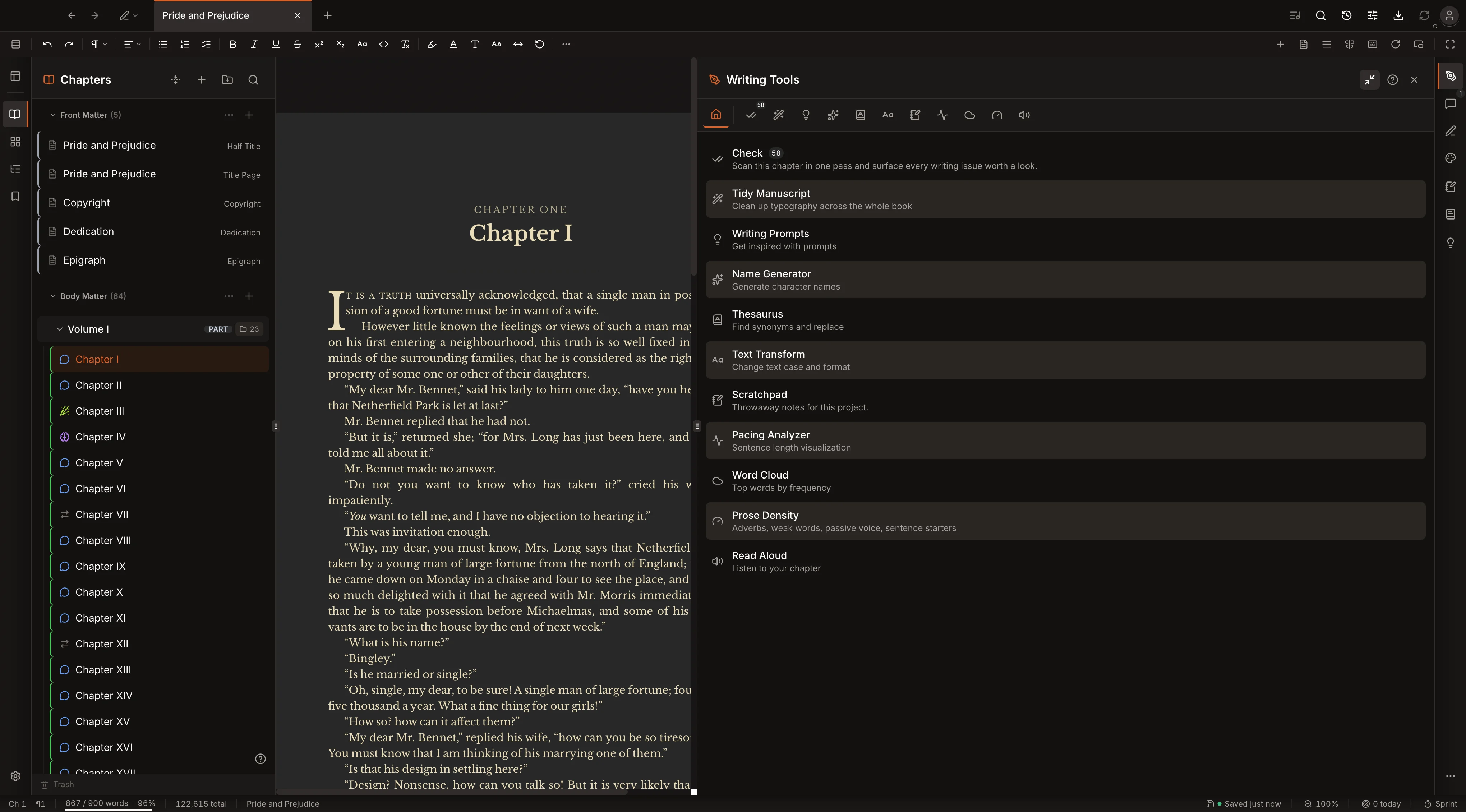
Planning, checking, references, and Snapshots all sit a tab away from the page, so you never leave the book to use them.
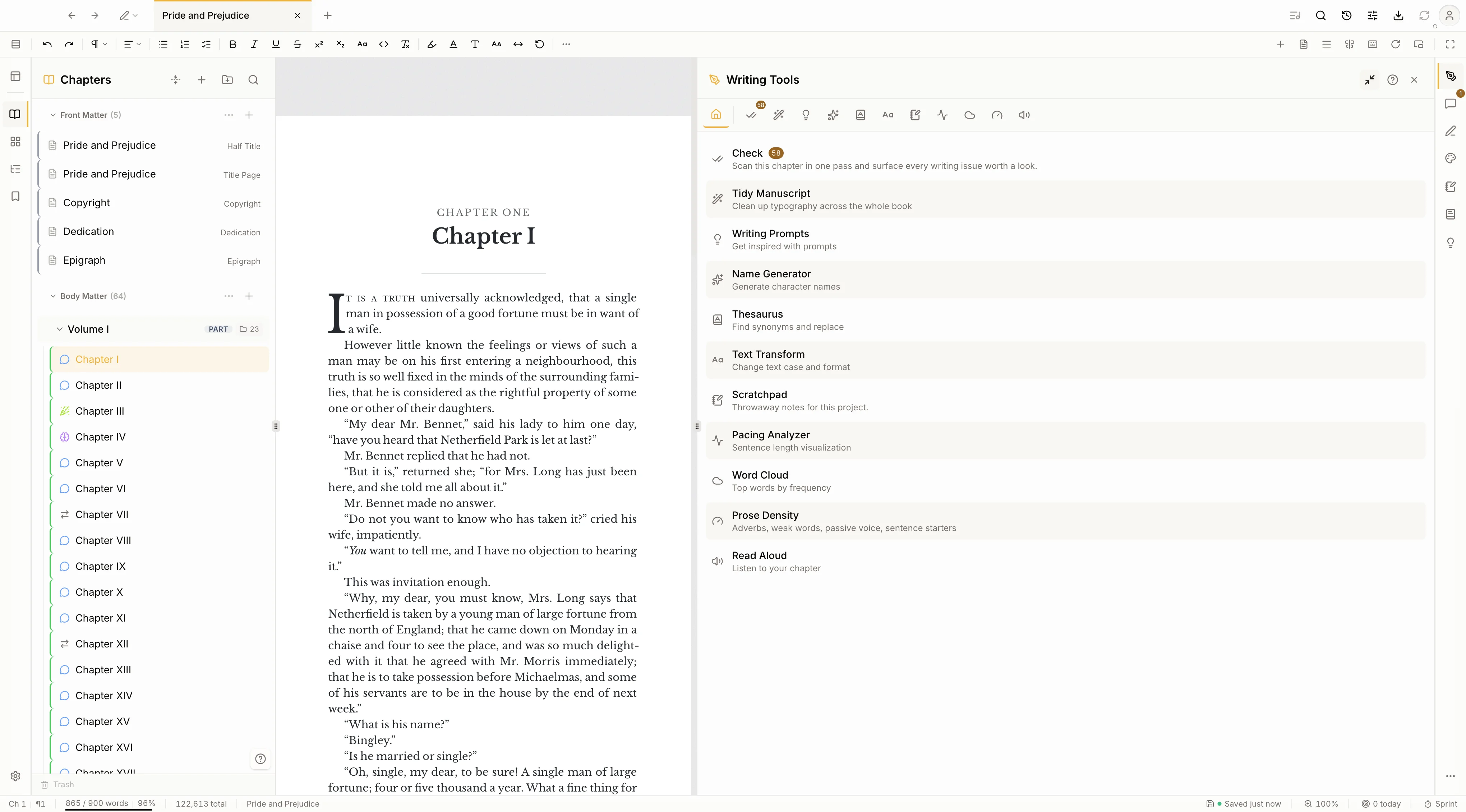
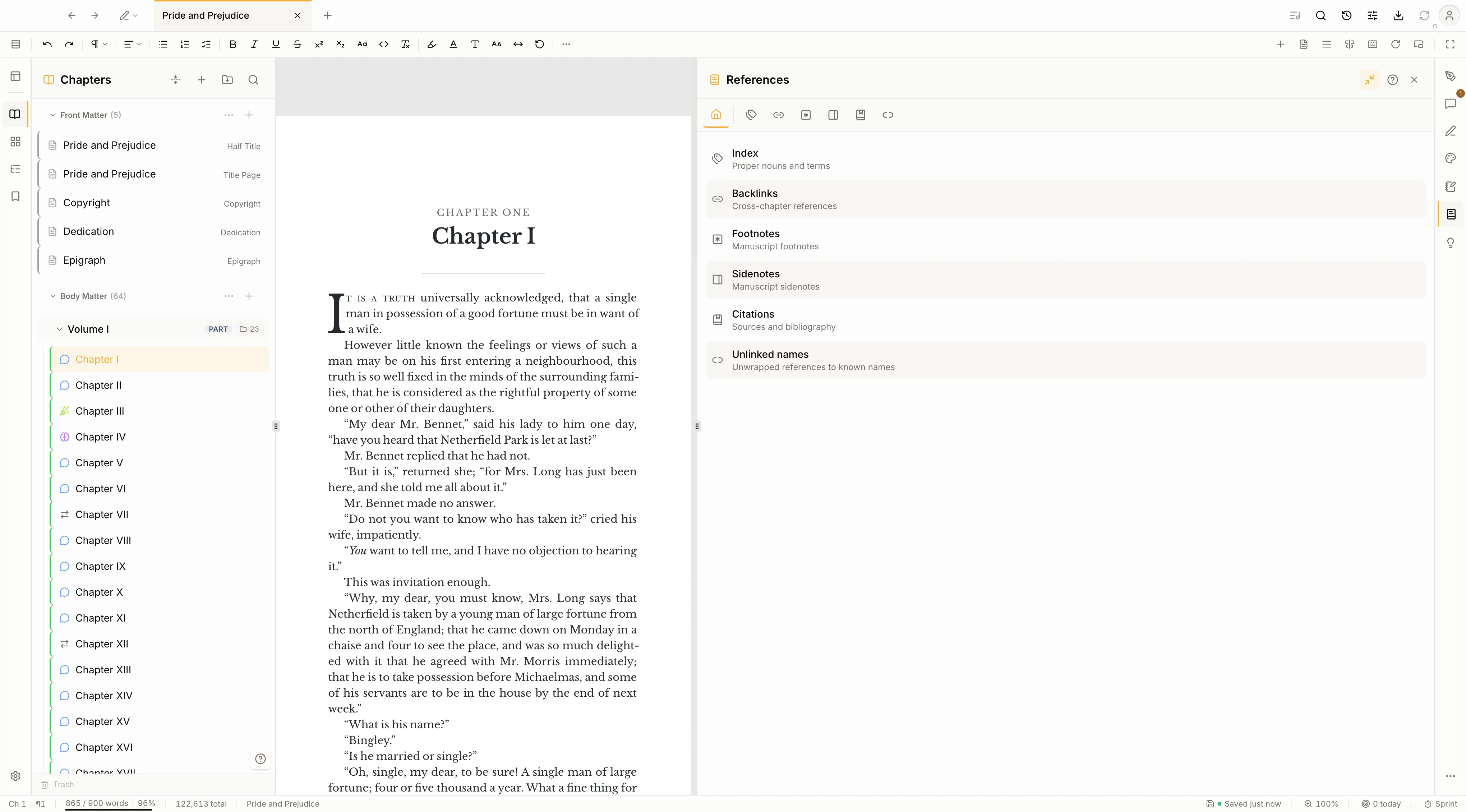
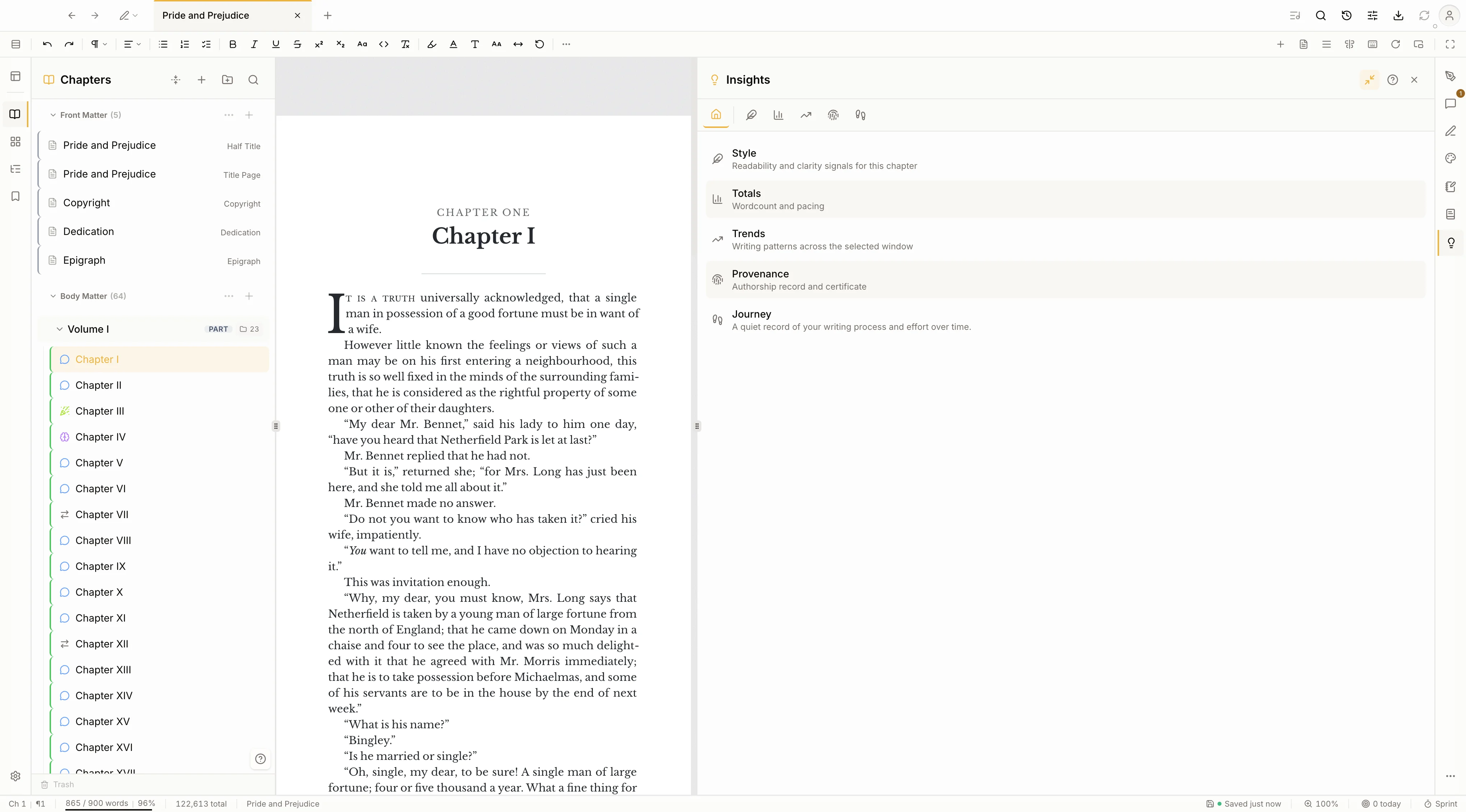
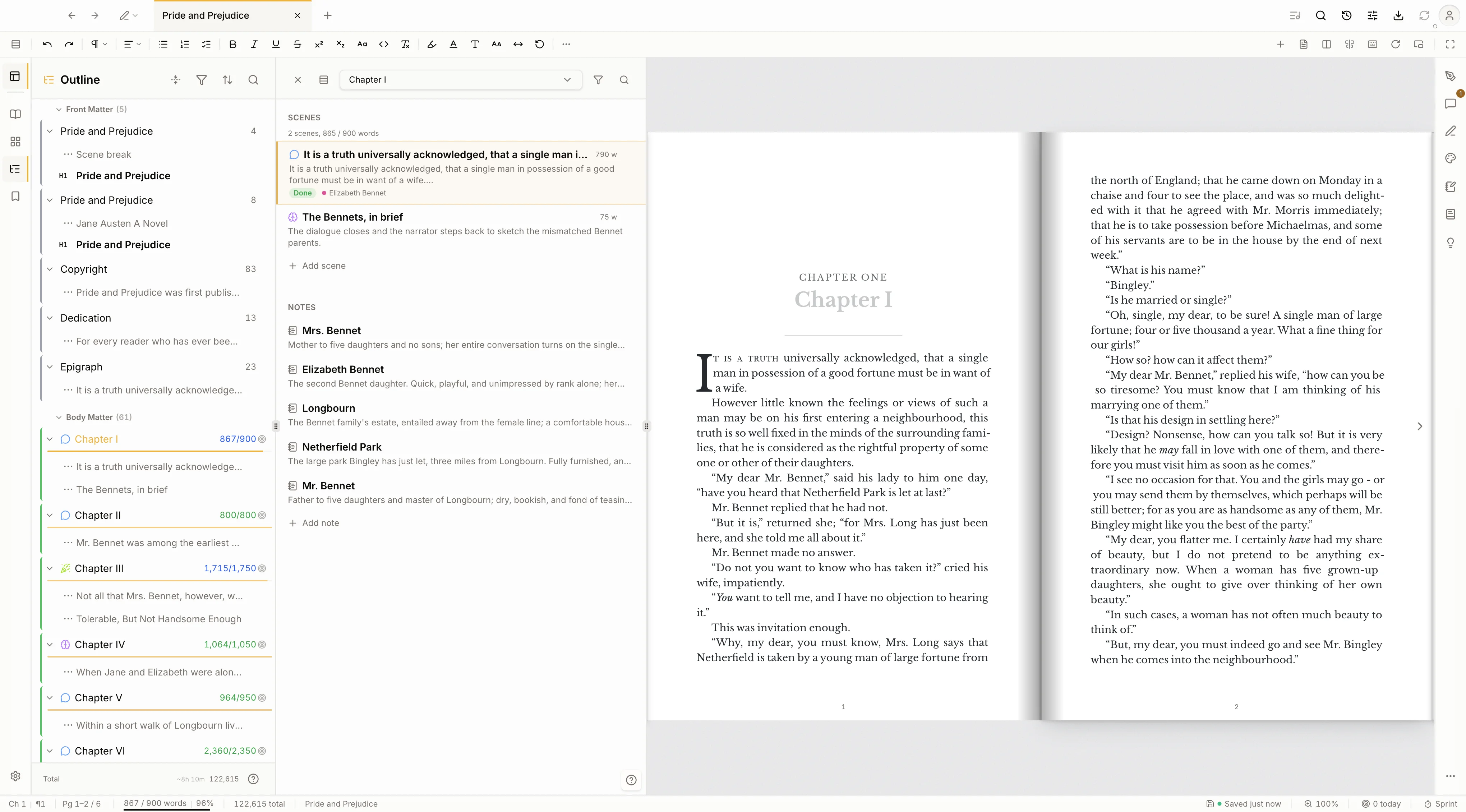
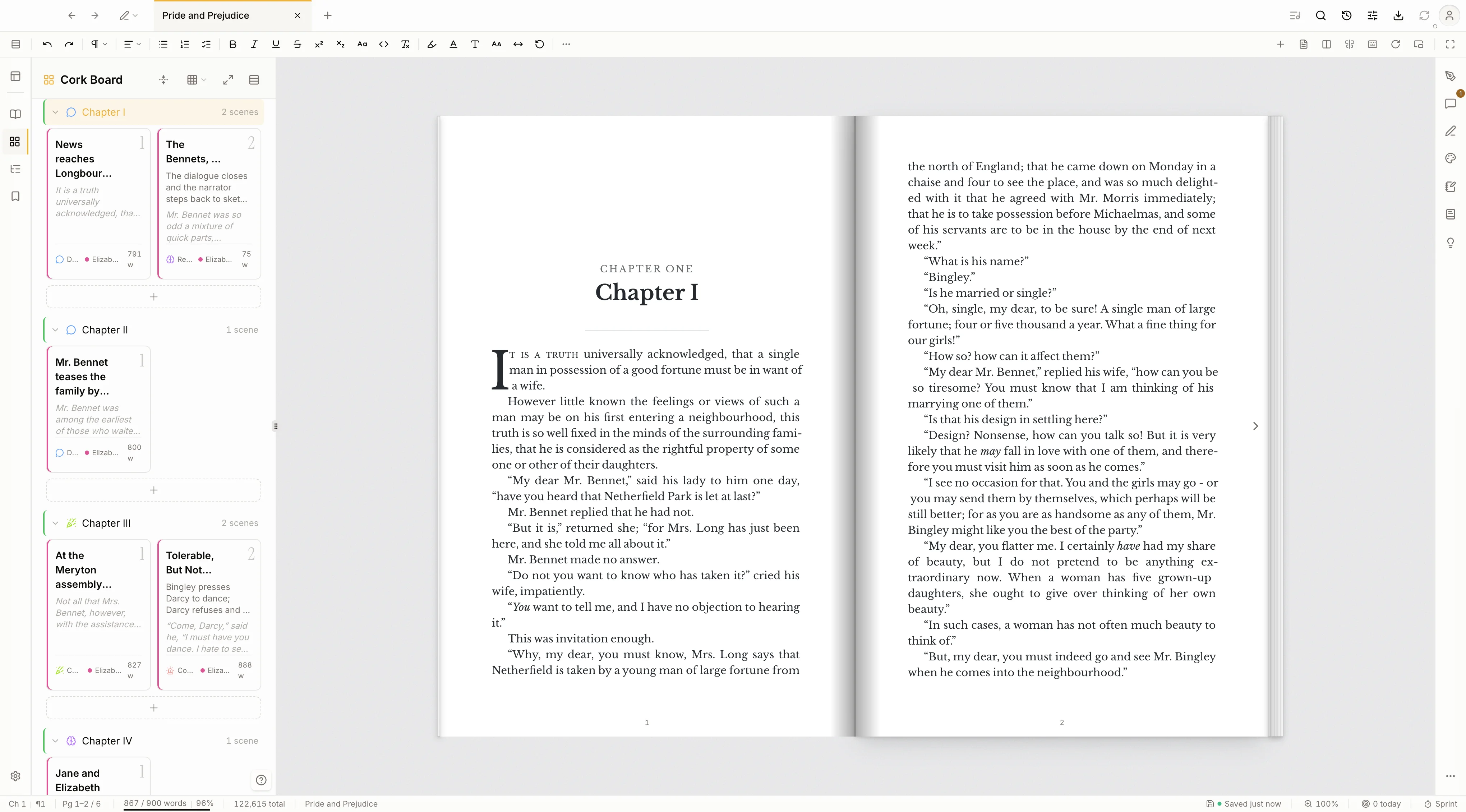
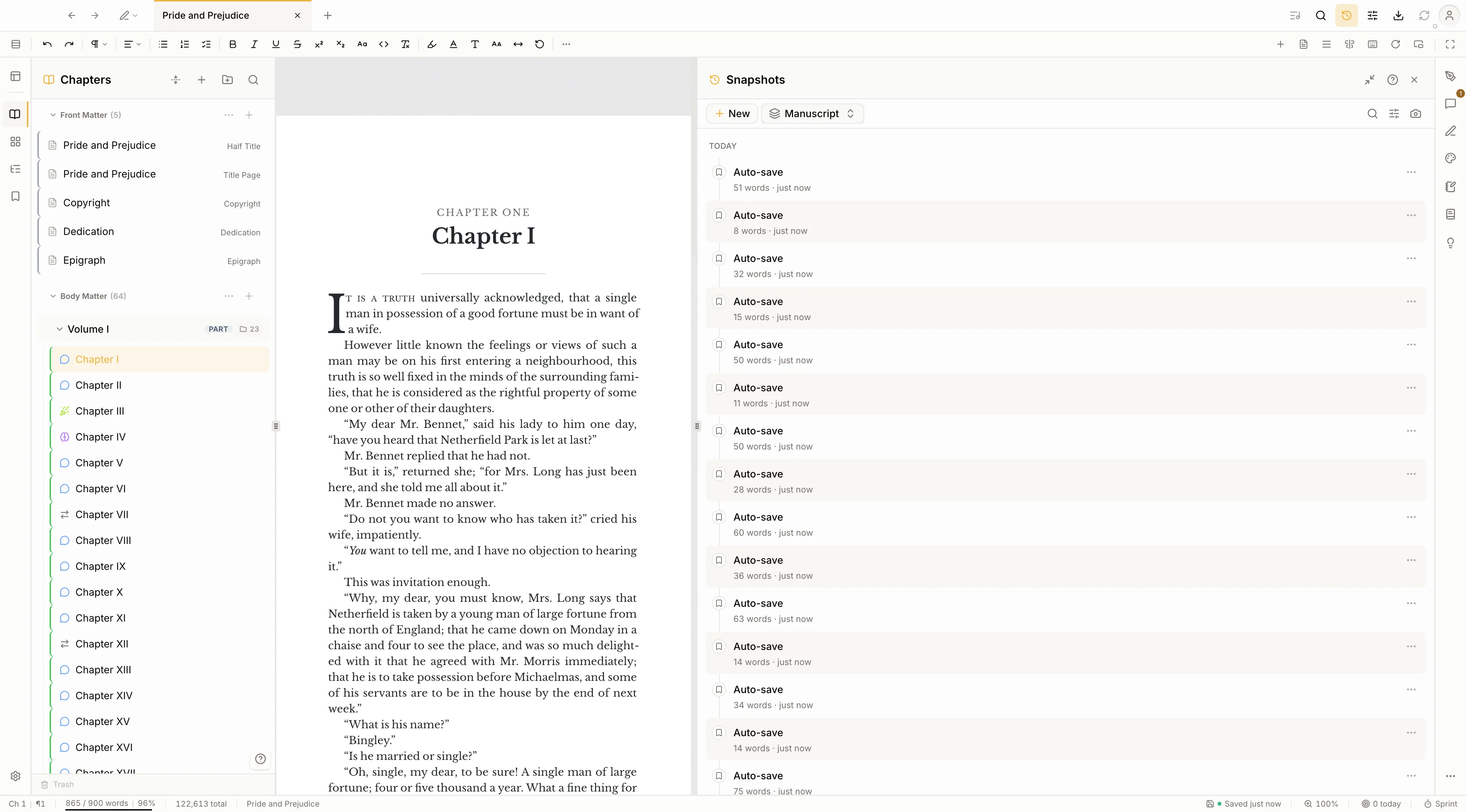
The checks, the index, the pacing read, the authorship record: all of it runs on your disk and leaves your prose exactly as you wrote it. Kvidha never writes for you, and nothing is sent away to be scored.
Local by default
Your books live in one file on your disk. No account to make, nothing to sync, and it keeps working on a plane.
No generated prose
Kvidha does not write for you. The checks flag; you decide. Nothing is sent off to be scored by a model.
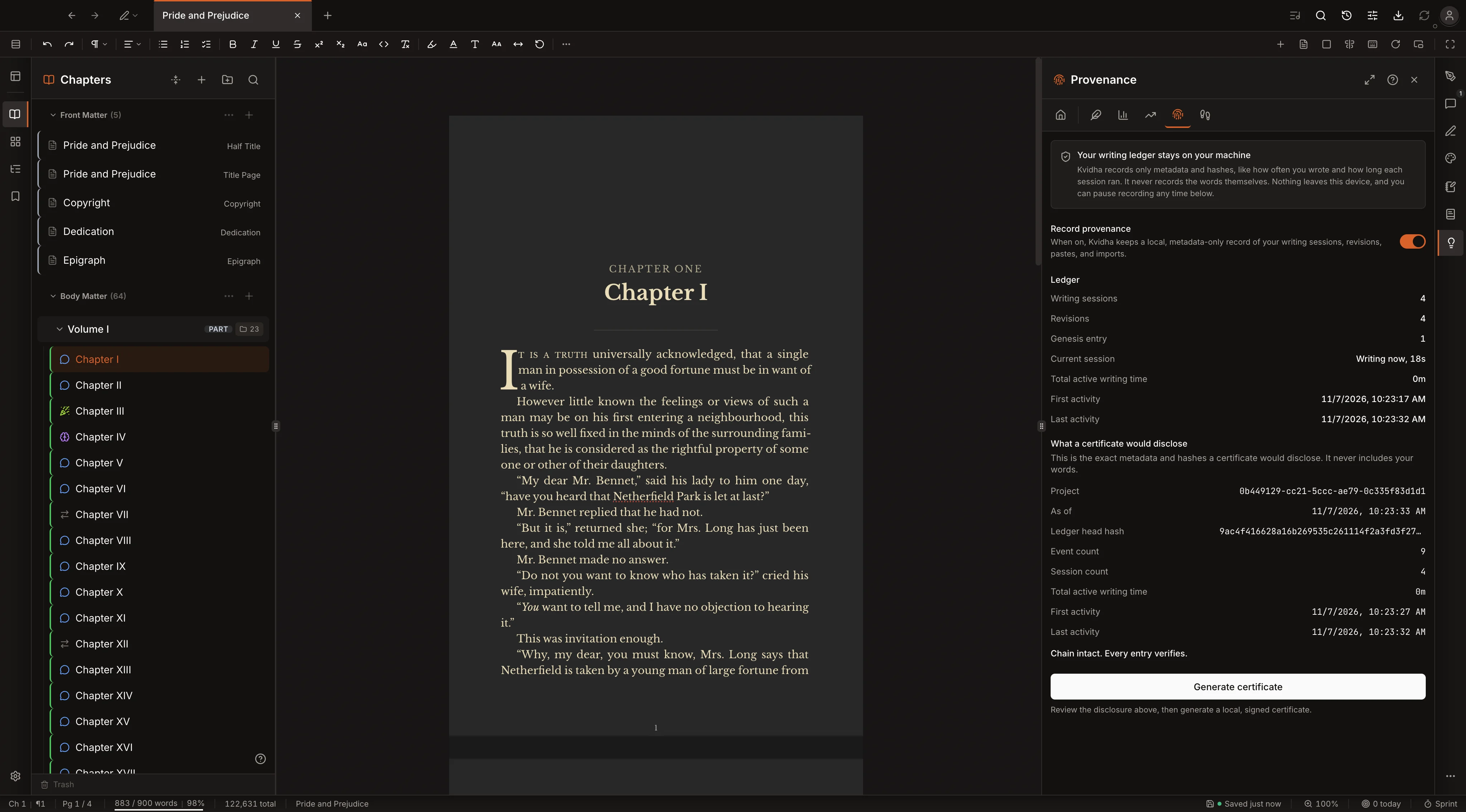
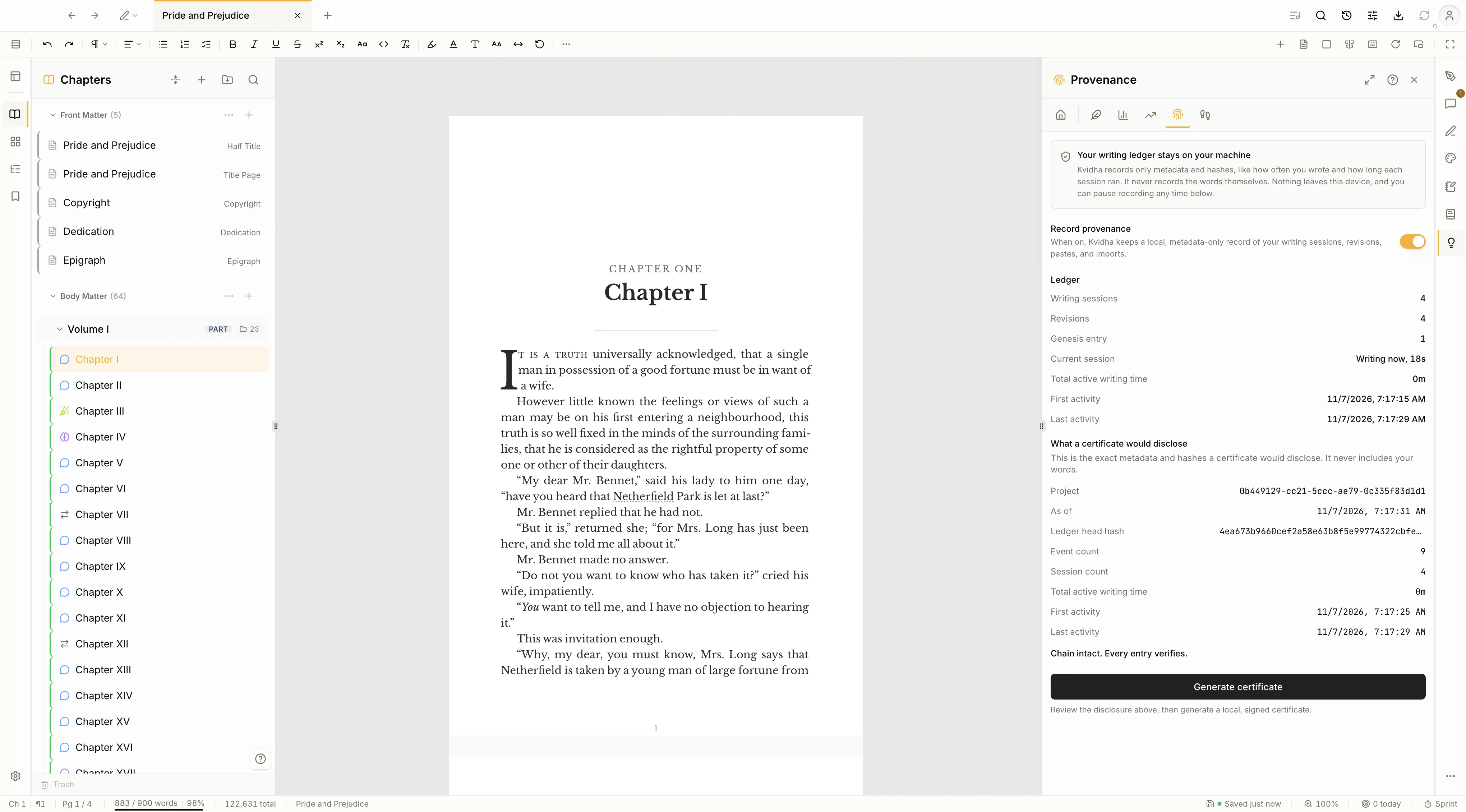
A signed authorship record
Kvidha records how a book was written and signs a certificate on your machine, with your own key, that shows the work is yours. Useful the day a store or a reader asks.
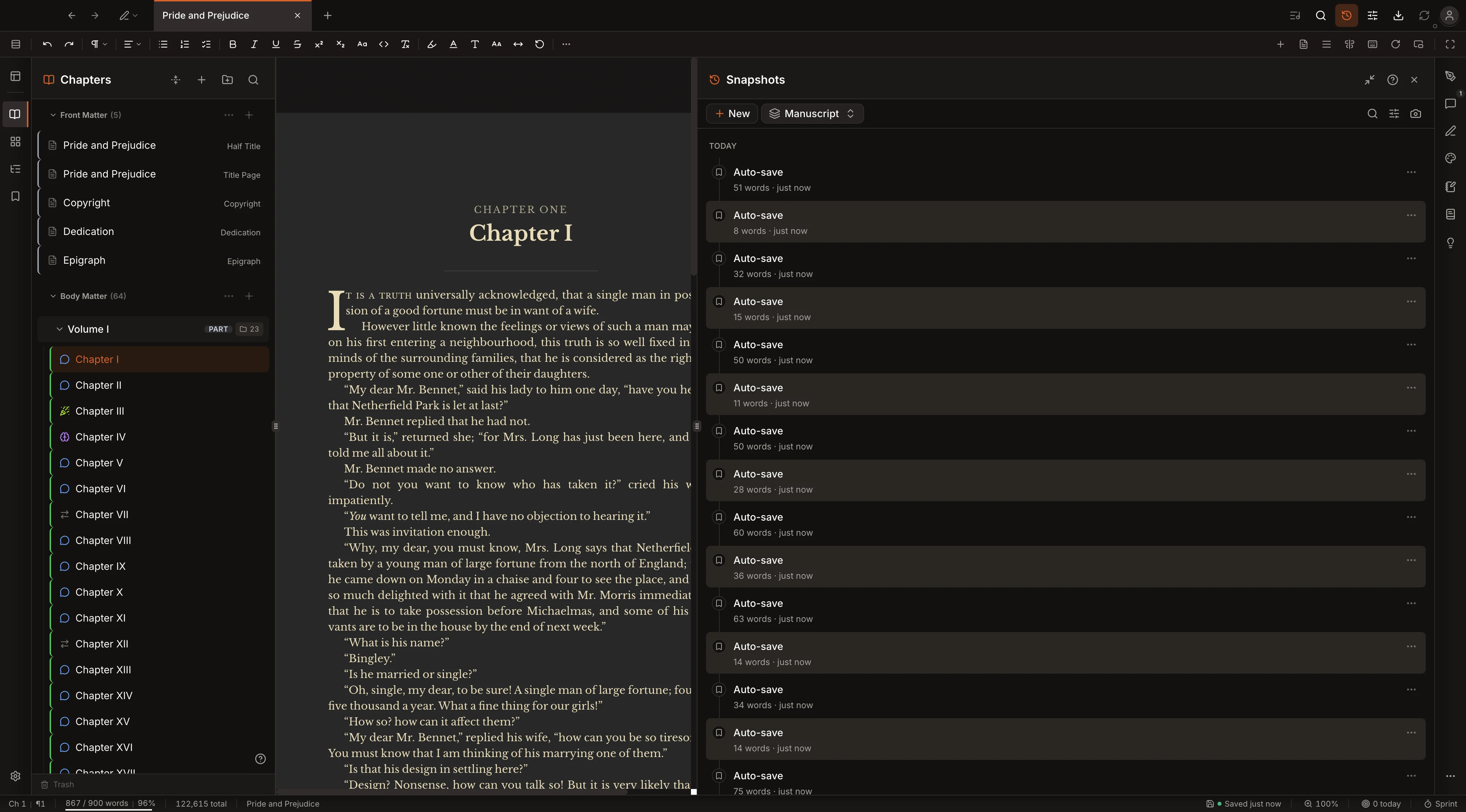
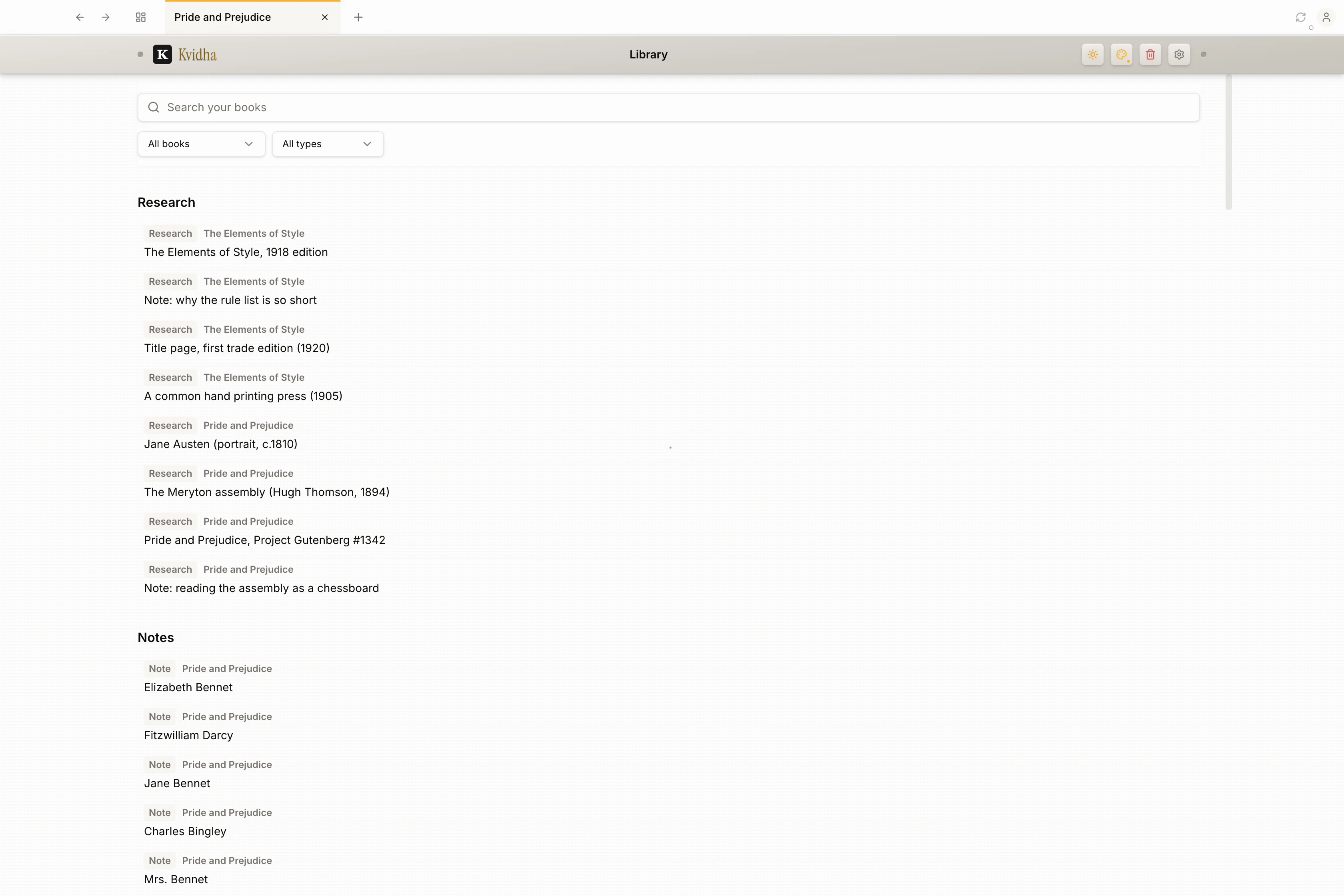
Delete a chapter by mistake and Trash holds it for thirty days, then puts it back where it was. Lose a line somewhere across five books and Library searches every manuscript, note, and research file at once.
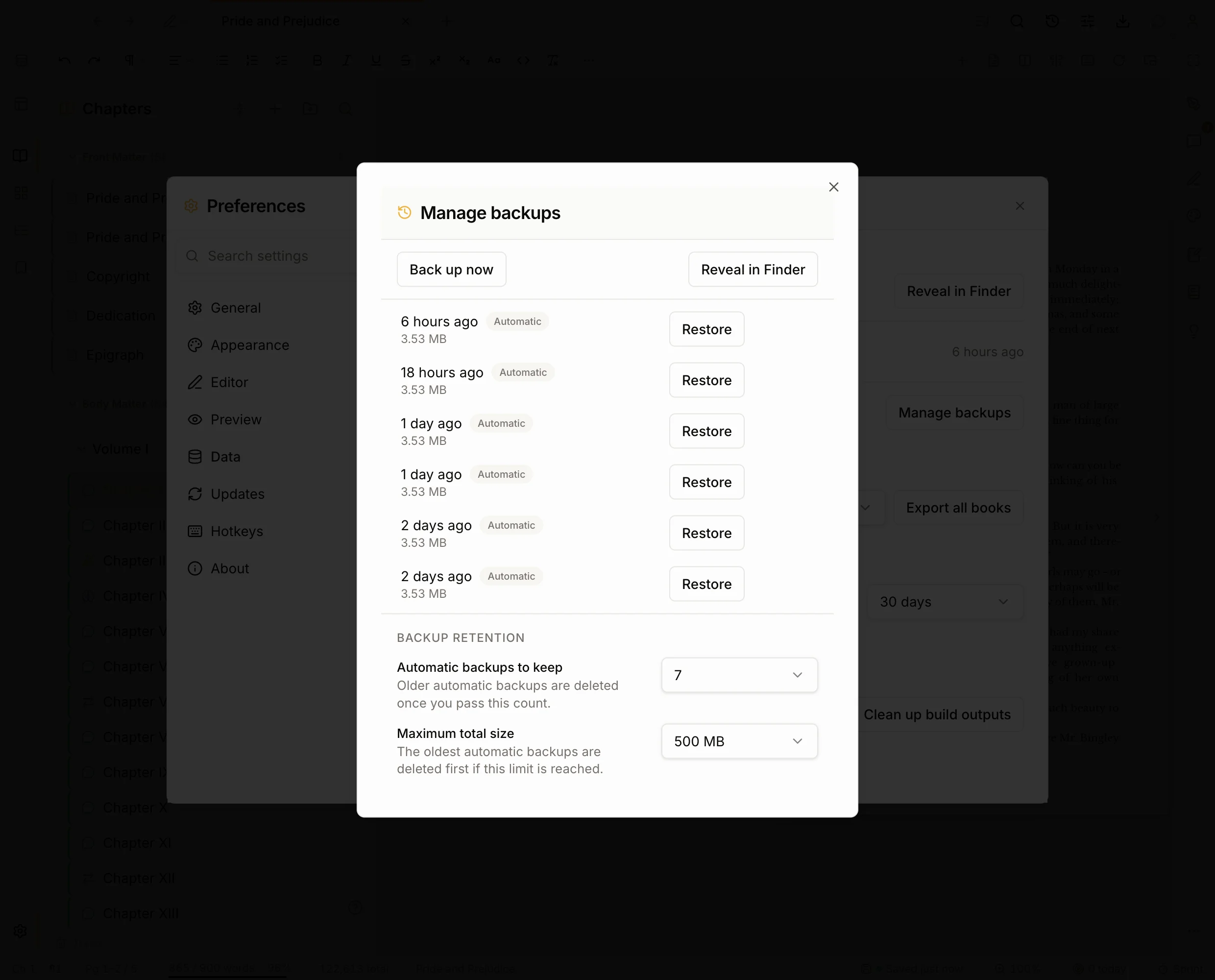
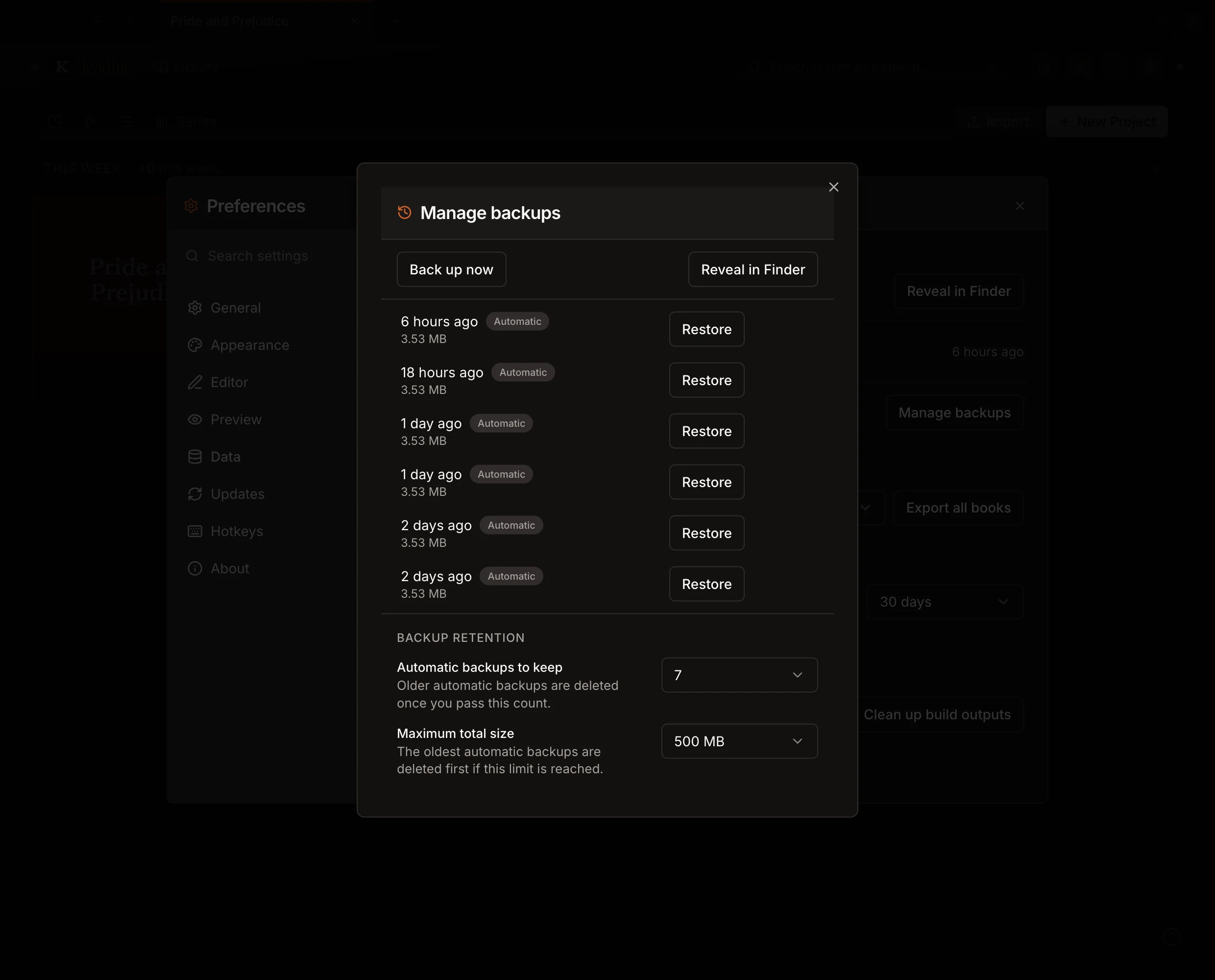
Kvidha keeps a rolling set of automatic backups of your whole library, every one on your own disk. Restore any point with a single click, choose how many to keep and how much room they can use, or reveal them in Finder. And Export all books writes your entire catalog to a folder in the format you choose, any time you want a copy you hold.
10 export formats, all built in.
Export formats
Editor themes
Typeset presets
Features
Works with
Write on real book pages
The editor is a live paginated book view with trim size, running headers, page numbers, and orphan and widow control, not a plain document that gets formatted later.
Track every subplot on a board
Threads give you kanban lanes for subplot, theme, POV, or argument, so the whole shape of a long manuscript stays visible on one board.
Never lose a draft
Snapshots capture your manuscript with inline diffs and one click restore, so you can experiment freely and still get back to where you started.
Series notes, shared once
Story notes attached to a series are shared across every book in it, so character and world details stay consistent without copying files around.
Pay once, own it
Kvidha is a one time lifetime purchase at launch, not a subscription you need to keep paying to keep access to your own book.
Your book stays on your machine
Kvidha is offline first and built for a single author, so your manuscript lives in a local database on your own computer, readable with the wifi off.
| Kvidha | Scrivener | Vellum | Atticus | Plottr | Reedsy | |
|---|---|---|---|---|---|---|
| Live paginated book view | available | not available | not available | not available | not available | not available |
| Write, format & design in one app | available | not available | not available | available | not available | available |
| Threads (subplots & themes) | available | not available | not available | not available | available | not available |
| Snapshots with diff | available | available | not available | not available | not available | available |
| Windows and Mac | available | available | not available | available | available | available |
| Regex find & replace-all | available | available | not available | not available | not available | not available |
| Threaded margin comments | available | not available | not available | not available | not available | available |
| Auto-generated index | available | not available | not available | not available | not available | not available |
| Scrivener importer | available | available | not available | not available | not available | not available |
| Multi-pane multi-format preview | available | not available | not available | not available | not available | not available |
| Cover designer with templates | available | not available | not available | not available | not available | not available |
| Offline-first, one-time price | available | available | available | not available | available | not available |
Kvidha
Scrivener
Vellum
Atticus
Plottr
Reedsy
Why one tool, not three.
Most authors draft in one app, typeset in another, and build the cover in a third. Kvidha is the bet that you should not have to. You write inside the paginated book, style it, and design the cover without exporting to finish. That is what the grid above is really showing.
Launching soon on macOS and Windows. Join the community for the launch date and first access.
You can paste content directly into the visual editor, or import .docx, .epub, .html, .odt, .rtf, .md, .txt, .zip, Scrivener .scriv folders, and Obsidian vaults.
Your manuscripts live on your machine in a single local database. Kvidha is local-first and needs no cloud account, so your work stays with you, online or off.
Fully. Writing, the live book view, building every format, and the cover designer all run on your machine with no connection. The only thing that touches the internet is the occasional license check.
A license key activates Kvidha on up to three machines at a time, and it runs offline for thirty days between checks. If you reach the limit, free a slot by deactivating an old machine.
Try it free for 30 days, full feature access. If you decide it isn't a fit, ask for a refund within 30 days of purchase. Nothing is gated and nothing is deleted.
Not at all. The desktop app ships with built-in snapshots that work locally, with no Git knowledge required.
10 export formats, all built in: PDF, PDF/A, EPUB, HTML, Reading Website, DOCX, RTF, Print PDF, Markdown, and plain text from a single manuscript, all 10 included with the lifetime license. Kindle Direct Publishing accepts EPUB natively (since August 2021), so a single EPUB file covers the Kindle store too.
Kvidha is a focused single-author studio. Your manuscript, notes, and snapshots live locally on your machine, built for one writer working deeply rather than a shared workspace.
Scrivener drafts, Vellum typesets, and you spend a weekend gluing them together with .docx exports. Kvidha is both at once, live, in one app, with the plotting, notes, series, comments, and publishing metadata built in.
They are good at words on a page, but neither shows you the book. You get no live pages, running heads, drop caps, or true spreads as you type, and no print-ready PDF or clean EPUB without a separate formatting pass. Kvidha drafts and typesets in the same place, so the page you write is the page that prints.
Your books live in a single local database on your machine, and you can export any book to Markdown, DOCX, RTF, plain text, and more at any time. Export is your preservation path. There is nothing to sync, and no cloud account that can be switched off.
Because a book takes years, and you shouldn't have to keep paying to open one you finished in 2028. Lifetime license: one payment, yours forever, works on macOS and Windows.
Yes. Your one-time purchase includes updates to the desktop app for life, at no extra cost. Optional cloud features planned for later may be offered separately, but nothing you buy today turns into a subscription.
Launching soon on macOS and Windows, with $199 early-bird for the first 100 buyers. Join the community for the date and first access.